8 Best Long-Range WiFi Routers for One-Router Homes (October 2026)
The best long-range WiFi routers for one-router homes include the Netgear Nighthawk RS500 WiFi 7 Router for large homes with multi-gig plans, the Netgear Nighthawk BE9300 WiFi 7 Router for busy homes with 6 GHz devices, and the ASUS RT-BE9700 WiFi 7 Router for adding AiMesh nodes later.
On this page (5 sections)
The best WiFi router for long range in a one-router home is the Netgear Nighthawk RS700S, with stated coverage up to 3,500 sq. ft. Choose the RS500 for a lower stated coverage figure with tri-band WiFi 7, or the ASUS RT-BE9700 if you want AiMesh expansion support.
A router's coverage estimate is only a starting point. Walls, floors, interference, router position and the devices connecting to it all affect what reaches the far end of your home.
If your layout has separate floors or thick walls, compare one-router options with mesh WiFi versus a single router before choosing. This roundup focuses on standalone routers with published coverage or a specific expansion feature, not a guarantee that one unit will serve every room.
Our picks at a glance
-
1
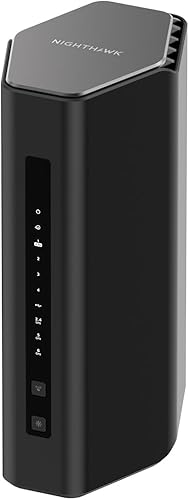 Best for large homes with multi-gig plans
Netgear Nighthawk RS500 WiFi 7 Router
8.4/10 our score
See it on Amazon -
2
 Best for busy homes with 6 GHz devices
Netgear Nighthawk BE9300 WiFi 7 Router
8.3/10 our score
See it on Amazon -
3
How we chose long-range WiFi routers
We compared stated coverage, WiFi bands, wired ports and expansion options for homes that want to start with one router. We did not treat a manufacturer's square-foot estimate as a promise of coverage through any particular floor plan.
The scores weigh those features against the needs of a long-range router shopper. Our score weighs specs, features and buyer feedback against what you're shopping for.
Compare the best WiFi routers for long range
The RS700S and RS500 have the highest stated coverage figures among these picks, while several ASUS models offer AiMesh support if you later need more coverage. Compare port types and bands alongside the coverage figure because those affect how each router fits your internet plan and devices.
| Product | Best for | Stated coverage | WiFi bands | Multi-gig ports | Our score |
|---|---|---|---|---|---|
| Netgear Nighthawk RS500 WiFi 7 Router | large homes with multi-gig plans | Up to 3,000 sq. ft. | Tri-band | 2.5 Gig WAN and LAN | 8.4 |
| Netgear Nighthawk BE9300 WiFi 7 Router | busy homes with 6 GHz devices | Up to 2,500 sq. ft. | Tri-band | 2.5 Gig WAN and two LAN | 8.3 |
| ASUS RT-BE9700 WiFi 7 Router | adding AiMesh nodes later | Up to 2,750 sq. ft. | Tri-band | 8.2 | |
| Netgear Nighthawk RS700S WiFi 7 Router | the largest single-router footprint | Up to 3,500 sq. ft. | Tri-band | 8.0 | |
| ASUS RT-BE88U WiFi 7 Router | homes with extensive wired gear | Up to 3,000 sq. ft. | Dual-band | 7.9 | |
| ASUS RT-BE92U WiFi 7 Router | tri-band AiMesh expansion | Up to 2,750 sq. ft. | Tri-band | 7.6 | |
| ASUS RT-BE82U WiFi 7 Router | multi-gig wired connections | Extended coverage, without a square-foot figure | Dual-band | 7.5 | |
| ASUS RT-BE58U WiFi 7 Router | smaller homes and basic expansion | Up to 2,000 sq. ft. | Dual-band | 7.3 |
The best long-range WiFi routers for one-router homes
The RS500 is our leading balance of stated coverage and multi-gig wired connections for a large one-router home. These models are ranked by their fit for long-range use and the supplied scores.
Netgear Nighthawk RS500 WiFi 7 Router: Best for large homes with multi-gig plans
- Stated coverage up to 3,000 sq. ft.
- Tri-band WiFi 7
- 2.5 Gig WAN and LAN ports
Tri-band WiFi 7 and a 2.5 Gig WAN port suit a large one-router home with a multi-gig internet plan. NETGEAR notes that walls, floors and interference can reduce range.
Pros
- Tri-band WiFi 7
- 2.5 Gig WAN and LAN ports
- NETGEAR states coverage up to 3,000 sq. ft.
Cons
- A separate modem or gateway is required
- NETGEAR says larger or multi-story homes may benefit from mesh
The Netgear Nighthawk RS500 is a tri-band WiFi 7 router with stated coverage up to 3,000 sq. ft. It has a 2.5 Gig WAN port for the modem or gateway, plus a 2.5 Gig LAN port and three 1 Gig LAN ports for wired devices.
That mix suits a home with a multi-gig internet plan, a gaming PC or NAS, and a mix of current and older wireless devices. NETGEAR says the router supports up to 120 devices, but the number that can connect does not show how strong the signal will be in distant rooms.
The RS500 needs a separate modem or gateway with an Ethernet port. NETGEAR says some modem-router combos may need bridge mode, so check your current equipment before setup.
Pick it if the home is within the stated coverage range and you want a 2.5 Gig wired connection. If your rooms span several floors or the signal must pass through dense walls, a mesh setup may be a better fit.
Netgear Nighthawk BE9300 WiFi 7 Router: Best for busy homes with 6 GHz devices
- Stated coverage up to 2,500 sq. ft.
- Tri-band WiFi 7 with 6 GHz
- Two 2.5 Gig LAN ports
The BE9300 pairs a third 6 GHz band with two 2.5 Gig LAN ports for a busy home with compatible devices and wired gear. Its stated coverage is lower than the larger Nighthawk options.
Pros
- Tri-band WiFi 7
- Two 2.5 Gig LAN ports
- NETGEAR states support for up to 100 devices
Cons
- A separate modem or gateway is required
- Walls, floors and interference can reduce range
The Netgear Nighthawk BE9300 suits a busy home with compatible 6 GHz devices and a more modest footprint than the RS500. Its stated coverage is up to 2,500 sq. ft., with tri-band WiFi 7 across 2.4 GHz, 5 GHz and 6 GHz.
Two 2.5 Gig LAN ports give you room for wired devices such as a NAS and gaming system, in addition to the 2.5 Gig WAN connection. NETGEAR states capacity for up to 100 devices, though your actual experience depends on the internet plan, device mix and home layout.
This is also a standalone router, so you need a separate modem or gateway. The BE9300 is a reasonable match when your home is not as large as the RS700S coverage estimate but you still want tri-band and multiple multi-gig ports.
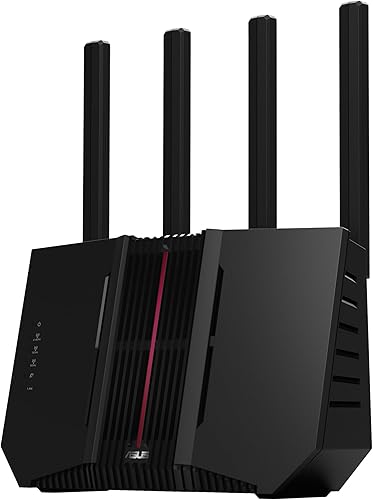
ASUS RT-BE9700 WiFi 7 Router: Best for adding AiMesh nodes later
- Tri-band WiFi 7
- AiMesh support
- Stated coverage up to 2,750 sq. ft.
The RT-BE9700 combines tri-band WiFi 7 with ASUS AiMesh support, giving you an option to add compatible routers if one unit does not cover the home. Its stated coverage is up to 2,750 sq. ft.
Pros
- Tri-band WiFi 7
- AiMesh support
- Subscription-free network security
Cons
- Coverage claims do not guarantee signal in every room
- The supplied product facts do not identify a WAN port speed
The ASUS RT-BE9700 is a tri-band WiFi 7 router with AiMesh support. ASUS lists coverage up to 2,750 sq. ft., and AiMesh gives you an expansion route if one router cannot reach the rooms you use.
Its listed features include Multi-Link Operation, 320 MHz channels in the 6 GHz band and subscription-free network security. Those features can matter for compatible devices and network management, but the coverage estimate remains a planning guide rather than a room-by-room guarantee.
Consider this model if you want to start with one router and prefer an expansion path within ASUS's AiMesh ecosystem. Compare the specific port needs of your modem, wired devices and plan before choosing, since the supplied product facts do not specify WAN port speed.
Netgear Nighthawk RS700S WiFi 7 Router: Best for the largest single-router footprint

- Stated coverage up to 3,500 sq. ft.
- Tri-band WiFi 7
- 10 Gig WAN and LAN ports
NETGEAR gives the RS700S the largest stated coverage in this group, up to 3,500 sq. ft., plus 10 Gig WAN and LAN ports. Those features make it a fit for a large home with a compatible high-speed plan.
Pros
- Highest stated coverage in this roundup
- 10 Gig WAN and LAN ports
- NETGEAR states support for up to 200 devices
Cons
- A separate modem or gateway is required
- NETGEAR says larger or multi-story homes may benefit from mesh
The Netgear Nighthawk RS700S has the largest stated coverage figure in this roundup, up to 3,500 sq. ft. It also has tri-band WiFi 7, a 10 Gig WAN port, a 10 Gig LAN port and four 1 Gig LAN ports.
That makes it a fit for a large home with a compatible high-speed internet plan and wired gear. NETGEAR says it can support up to 200 devices, but a high device count does not ensure that a far room will get a strong signal.
The RS700S requires a separate modem or gateway with an Ethernet port. NETGEAR notes that multi-story homes may benefit from an Orbi mesh system, so consider your floor plan before treating the stated footprint as a deciding factor.
ASUS RT-BE88U WiFi 7 Router: Best for homes with extensive wired gear

- Stated coverage up to 3,000 sq. ft.
- One 10G SFP+ and one 10G WAN/LAN port
- AiMesh support
The RT-BE88U is a dual-band option with two 10G connections and AiMesh support. It suits a home where wired networking matters as much as wireless coverage.
Pros
- Two 10G connections
- AiMesh support
- ASUS says combined wired capacity reaches 34G
Cons
- Dual-band rather than tri-band
- Coverage claims do not account for your home's layout
The ASUS RT-BE88U pairs stated coverage up to 3,000 sq. ft. with two 10G connections. It is dual-band WiFi 7, so its strongest distinction here is wired capacity rather than a third wireless band.
One 10G SFP+ port and one 10G WAN/LAN port support a range of wired setups. ASUS also lists AiMesh support, which gives you an option to extend the network with compatible equipment if your floor plan calls for it.
Choose this router if your home office or media setup depends on fast wired connections as well as one-router WiFi coverage. If your priority is a third band for wireless devices, compare it with the tri-band Nighthawk and ASUS picks above.
ASUS RT-BE92U WiFi 7 Router: Best for tri-band AiMesh expansion

- Tri-band WiFi 7
- AiMesh support
- Stated coverage up to 2,750 sq. ft.
The RT-BE92U offers tri-band WiFi 7 and AiMesh support for a home that may need expansion later. ASUS describes extended coverage through AiMesh.
Pros
- Tri-band WiFi 7
- AiMesh support
- Includes a wall mount kit
Cons
- Coverage is stated as up to 2,750 sq. ft.
- Product facts do not specify a WAN port speed
The ASUS RT-BE92U offers tri-band WiFi 7 and AiMesh support with stated coverage up to 2,750 sq. ft. It is a reasonable option for someone who wants a standalone router now and an ASUS expansion path later.
ASUS describes extended coverage through AiMesh, but you would need compatible additional equipment to build out a mesh network. The included wall mount kit offers another placement option, depending on your room and available power and Ethernet connections.
Its product facts do not specify the WAN port speed, so confirm that detail if matching the router to a multi-gig plan is central to your choice. For a broader range of expansion layouts, read how many mesh nodes you may need.
ASUS RT-BE82U WiFi 7 Router: Best for multi-gig wired connections

- Dual-band WiFi 7
- Five 2.5GbE ports
- AiMesh support
Five 2.5GbE ports and AiMesh support make the RT-BE82U a useful fit when you want multi-gig wired links and the option to extend the network. Its coverage is not stated as a square-foot figure.
Pros
- Five 2.5GbE ports
- AiMesh support
- Commercial-grade network security
Cons
- No square-foot coverage figure is stated
- Dual-band rather than tri-band
The ASUS RT-BE82U is a dual-band WiFi 7 router with five 2.5GbE ports and AiMesh support. The stated coverage is described as extended, without a square-foot figure, so it is harder to compare by footprint alone.
Its wired ports can help if several devices need multi-gig Ethernet. AiMesh provides an option to add compatible routers if a single unit falls short in distant rooms.
Choose it when wired connectivity and a future expansion path matter more than a specific published coverage number. If you need a router with a stated square-foot estimate, compare the ASUS RT-BE9700 or the Netgear options instead.
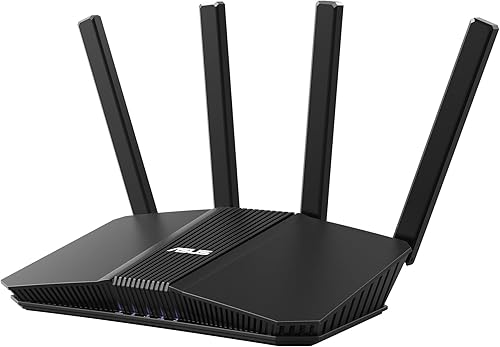
ASUS RT-BE58U WiFi 7 Router: Best for smaller homes and basic expansion
- Dual-band WiFi 7
- Stated coverage up to 2,000 sq. ft.
- AiMesh support
The RT-BE58U is the smallest stated coverage option here, at up to 2,000 sq. ft. It can suit a smaller home where AiMesh expansion and dual-WAN features matter.
Pros
- AiMesh support
- Dual-WAN options
- Commercial-grade network security
Cons
- Lowest stated coverage in this roundup
- Dual-band rather than tri-band
The ASUS RT-BE58U is the smallest stated-coverage router here, at up to 2,000 sq. ft. It is a dual-band WiFi 7 router with AiMesh support, dual-WAN options and network security features.
This makes it a better match for a smaller home than for a large, spread-out floor plan. If one unit is not enough, AiMesh gives you an expansion option, though that means adding compatible equipment.
The RT-BE58U can suit a buyer who wants WiFi 7 and a path to expand without needing the larger coverage figures or port mix of the higher-ranked picks. Check your home layout and internet plan before choosing it as the only access point.
How to choose a router for long range
The right long-range router depends on your floor plan, the location of the internet connection and the rooms where you need a usable signal. A coverage estimate can help narrow choices, but placement and building materials decide what happens in your home.
Is the stated coverage enough for your home?
Use the coverage number as a rough filter, then account for floors and walls between the router and your farthest devices. A centrally placed router has a better chance of serving rooms around it than one tucked at the edge of the home.
If you live in a two-story house, compare the router options with mesh WiFi systems for a 2-story house. A second access point can help where a single signal struggles to pass between floors.
Do you need tri-band WiFi 7?
Tri-band models add a 6 GHz band, which can serve compatible devices. The RS500, BE9300, RS700S, RT-BE9700 and RT-BE92U are tri-band options in this group; the ASUS RT-BE88U, RT-BE82U and RT-BE58U are dual-band.
WiFi 7 features only help when your devices support them. If your current devices use older WiFi generations, the router can still serve them, but those devices won't use every WiFi 7 feature.
When is a mesh system a better fit?
Mesh is worth considering when your router cannot reach a far room after you improve its placement, or when thick walls and multiple floors divide the home. Read how to extend WiFi range at home for placement and setup steps before buying more hardware.
A mesh system places additional units where the signal needs help. For older homes with dense walls, our guide to mesh WiFi for older homes covers why layout and building materials can matter more than a headline coverage number.
What should you check before setup?
Check whether your internet connection uses a separate modem or a gateway that combines modem and router functions. The Netgear options in this roundup connect to an existing modem or gateway by Ethernet, and some gateway combinations may need bridge mode.
Place the router in an open, central spot with power and an Ethernet connection nearby. If you're extending with mesh, use our guide to where to place mesh WiFi units to plan the added nodes.
Which long-range WiFi router should you choose?
Choose the RS700S if you want the highest stated coverage figure and 10 Gig wired connections. Pick the RS500 for a lower coverage range with 2.5 Gig ports, or an ASUS AiMesh model if you want an expansion path within that system.
If your floor plan has several barriers or levels, compare mesh before deciding that a single router will cover every room. Our WiFi 7 router guide can help you decide whether the newer wireless features are worth prioritizing.
External references: NETGEAR Nighthawk RS500, ASUS AiMesh.
Our top 3 picks at a glance
-
1
Best for large homes with multi-gig plans
Netgear Nighthawk RS500 WiFi 7 Router
8.4/10 our score
See it on Amazon -
2
Best for busy homes with 6 GHz devices
Netgear Nighthawk BE9300 WiFi 7 Router
8.3/10 our score
See it on Amazon -
3
Frequently asked questions
Can one WiFi router cover a whole house?
One router can cover a whole house when its placement and your layout allow a clear signal to the rooms you use. Coverage figures are estimates, and walls, floors and interference can reduce range.
Test the rooms where you need a reliable connection before deciding whether a single unit is enough.
Does a router's square-foot coverage guarantee long range?
No. A stated square-foot figure is a guide, not a promise for every floor plan.
Building materials, router placement and nearby networks affect how far a usable signal reaches.
Place the router in an open, central spot and check signal in the farthest rooms.
Should I buy a router or mesh WiFi for a large home?
Choose a single router if one well-placed unit can reach the rooms you use. Mesh makes more sense when the layout has distant rooms, multiple floors or thick walls that block the signal.
Our single router vs mesh WiFi comparison explains the trade-offs.
Will WiFi 7 improve the range of my WiFi?
WiFi 7 adds newer wireless features, but the label alone does not guarantee more range in your home. Your devices must support the features, and walls and placement still affect the signal.
See our guide on whether you need a WiFi 7 router before paying more for it.
Where should I place a router for the best range?
Place the router in an open area near the center of the spaces you use, away from floor-level obstacles and enclosed cabinets. A central position can reduce the distance to rooms on different sides of the home.
For a mesh network, use our guide to placing mesh WiFi units.



