8 Best Mesh WiFi for Older Homes With Thick Walls (October 2026)
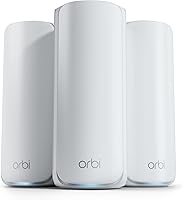
The best mesh WiFi systems for older homes with thick walls include the ASUS ZenWiFi BT6 (3-pack) for wired backhaul through thick walls, the eero Pro 7 (3-pack) for broad coverage and busy networks, and the Netgear Orbi 370 (3-pack) for a three-unit WiFi 7 setup.
On this page (7 sections)
- How we chose mesh WiFi systems for old houses
- Compare the best mesh WiFi systems for older homes
- Best mesh WiFi picks for thick walls
- How should you place mesh nodes in a thick-wall house?
- Is wired backhaul better for old houses?
- How many mesh nodes do thick walls need?
- Which mesh WiFi system should you choose for an old house?
The best mesh WiFi system for an old house with thick walls is the ASUS ZenWiFi BT6, especially if you can connect its units by Ethernet. If you need a wireless setup, consider the eero Pro 7 or Orbi 370, then place nodes where they can still reach one another.
Thick brick, stone, plaster, or lath walls can weaken WiFi as it travels from room to room. A mesh system gives you more than one access point, but node placement and the connection between units still matter.
For a practical starting point, see our guide to where to place mesh WiFi units and the overview of how many mesh nodes you need. If you can run cable between floors or rooms, learn what Ethernet backhaul is.
Our picks at a glance
-
1

-
2

-
3

How we chose mesh WiFi systems for old houses
The best mesh WiFi for an older home should offer enough nodes for the layout and a way to keep those nodes connected through difficult walls. We compared stated coverage, number of units, wireless bands, and any Ethernet backhaul information in the product details.
Coverage figures are estimates, not promises for every building. Older homes vary in wall materials, room shapes, wiring, and placement options, so use the numbers to shortlist systems rather than predict an exact signal in each room.
Our score weighs specs and features against the needs of a thick-wall home. We gave added weight to a clearly stated Ethernet backhaul feature, then considered node count, band setup, and coverage claims.
Compare the best mesh WiFi systems for older homes
A three-pack can give you more placement options than a two-pack, while tri-band systems may have more radio capacity for wireless communication between units. Neither unit count nor band count guarantees coverage through dense walls.
| Product | Best for | System | Stated coverage | Backhaul | Our score |
|---|---|---|---|---|---|
| ASUS ZenWiFi BT6 (3-pack) | wired backhaul through thick walls | Tri-band WiFi 7, 3-pack | Up to 7,600 sq ft | Ethernet backhaul supported | 8.0 |
| eero Pro 7 (3-pack) | broad coverage and busy networks | Tri-band WiFi 7, 3-pack | Up to 6,000 sq ft | 8.8 | |
| Netgear Orbi 370 (3-pack) | a three-unit WiFi 7 setup | Dual-band WiFi 7, 3-pack | Up to 6,000 sq ft | 8.6 | |
| Netgear Orbi 770 (2-pack) | a high-speed two-unit setup | Tri-band WiFi 7, 2-pack | Up to 5,500 sq ft | 8.5 | |
| eero Pro 6E (3-pack) | a three-pack with 6 GHz | WiFi 6E, 3-pack | Up to 6,000 sq ft | 7.9 | |
| Google Nest Wifi Pro (3-pack) | three WiFi 6E nodes | Tri-band WiFi 6E, 3-pack | Up to 6,600 sq ft | 7.7 | |
| ASUS ZenWiFi BD5 (3-pack) | dual-band WiFi 7 with Ethernet backhaul | Dual-band WiFi 7, 3-pack | Up to 6,800 sq ft | Ethernet backhaul supported | 7.4 |
| eero 6+ (3-pack) | gigabit plans and three nodes | WiFi 6, 3-pack | Up to 4,500 sq ft | 8.6 |
What should you check before choosing mesh WiFi for an old house?
Start with the wall material, floor plan, and available cable paths. A stone exterior wall, a central chimney, or dense plaster between floors can affect where a node needs to sit.
Check whether the system supports Ethernet backhaul if you can run cable between nodes. A wired connection can bypass the need for a strong wireless hop through a thick wall.
Don't put every satellite in the room with the weakest signal. Each wireless node needs a usable connection back to the main unit, so a midpoint room or hallway can work better than the far end of the house.
Best mesh WiFi picks for thick walls
The ASUS ZenWiFi BT6 leads this group because its stated features include Ethernet backhaul for thick walls and tri-band WiFi 7. The other picks offer different mixes of node count, stated coverage, and wireless features.
ASUS ZenWiFi BT6 (3-pack): Best for wired backhaul through thick walls
- Tri-band WiFi 7
- Ethernet backhaul feature for thick walls
- Up to 7,600 sq ft stated coverage
Its Ethernet backhaul feature speaks directly to homes where thick walls weaken the wireless link between mesh units. The 3-pack also has the largest stated coverage in this group.
Pros
- Ethernet backhaul feature for thick walls
- Tri-band WiFi 7
- AiProtection Pro and parental controls
Cons
- Coverage still depends on layout and placement
- Wired backhaul needs Ethernet cabling
The ASUS ZenWiFi BT6 is the clearest fit when you can connect mesh units with Ethernet. That wired link can carry network traffic between nodes without asking WiFi to pass through every dense wall.
The three-pack uses tri-band WiFi 7 and has up to 7,600 sq ft of stated coverage. ASUS also lists AiMesh support, AiProtection Pro, parental controls, and VPN features.
Its stated coverage is the largest among these picks, but an old house can have a more demanding layout than an open floor plan of the same size. Plan node locations around the rooms you use, and leave room for a wired path if possible.
Pick the BT6 if you want three units and can use Ethernet to connect them across difficult sections of the home. The wireless system can still work without that cable, but walls and placement will have more influence on the link between nodes.
eero Pro 7 (3-pack): Best for broad coverage and busy networks
- Tri-band WiFi 7
- Up to 6,000 sq ft stated coverage
- Supports 600+ devices
Three units give you flexibility to place nodes across floors and rooms. eero says the system covers up to 6,000 sq ft and supports 600+ devices.
Pros
- Tri-band WiFi 7 with MLO
- Two auto-sensing 5 GbE ports per unit
- Backward compatible with earlier eero devices
Cons
- Ethernet backhaul for thick walls is not specified here
- eero Plus features require a subscription
The eero Pro 7 is a strong choice for a large home with many connected devices. Its three units are rated for up to 6,000 sq ft and 600+ devices, with support for internet plans up to 5 Gbps.
Each unit has two auto-sensing 5 GbE ports, which gives you wired connection options. The product details do not specify Ethernet backhaul for thick walls, so confirm that the setup matches your preferred wiring plan before buying.
The system is tri-band WiFi 7 and supports multi-link operation. eero's TrueMesh, TrueRoam, and TrueChannel software is designed to help devices use a reliable connection as they move around the home.
Choose this kit if you want a newer eero system with three nodes and strong stated capacity. For a direct comparison with another WiFi 7 option, read our guide to Orbi 370 vs eero 7.
Netgear Orbi 370 (3-pack): Best for a three-unit WiFi 7 setup
- Dual-band WiFi 7
- Up to 6,000 sq ft stated coverage
- Router plus two satellites
The router and two satellites give you three placement points, which can help with a spread-out floor plan. NETGEAR says actual coverage varies with construction materials and node placement.
Pros
- Router plus two satellites
- Enhanced Backhaul
- Can add a satellite for up to 2,000 sq ft more stated coverage
Cons
- Dual-band rather than tri-band
- Coverage depends on construction and placement
The Orbi 370 is a practical three-unit WiFi 7 option for a multi-room or multi-storey layout. NETGEAR says its router and two satellites cover up to 6,000 sq ft and support up to 70 devices.
Its dual-band system uses Enhanced Backhaul to help deliver WiFi across the home. The stated coverage may vary with construction materials and satellite placement, which makes careful positioning especially important in an older house.
You can add an Orbi 370 satellite for up to 2,000 sq ft of additional stated coverage. That can be useful if the home has a separate wing or a room beyond the reach of the original kit, though the new unit still needs a solid connection.
Pick this set if you want three units and a WiFi 7 system with an expansion path. If you are choosing between Orbi generations, compare Orbi 370 and Orbi 770 before deciding how much capacity you need.
Netgear Orbi 770 (2-pack): Best for a high-speed two-unit setup

- Tri-band WiFi 7
- Up to 5,500 sq ft stated coverage
- Router plus one satellite
The two-unit kit may suit a home where a router and one satellite can reach the main trouble spots. Its tri-band design includes Enhanced Backhaul.
Pros
- Tri-band WiFi 7
- Supports up to 100 devices
- Can add a satellite for up to 2,750 sq ft more stated coverage
Cons
- Only two units in the kit
- Actual coverage varies with materials and placement
The Orbi 770 gives you a tri-band WiFi 7 system in a two-unit package. NETGEAR states coverage up to 5,500 sq ft and support for up to 100 devices.
Its router and satellite use Enhanced Backhaul, and you can add another satellite for up to 2,750 sq ft of additional stated coverage. A two-pack can suit a home where one central router and one carefully placed satellite cover the main areas.
For an older home with several dense interior walls, two nodes may leave fewer placement choices than a three-pack. Look at the path between the units and the rooms that need coverage before you choose by the square-foot figure alone.
Choose the Orbi 770 if tri-band capacity and a two-unit setup suit your layout. It is also a reasonable option when you expect to expand the system later.
eero Pro 6E (3-pack): Best for a three-pack with 6 GHz

- WiFi 6E with 6 GHz band for compatible devices
- Up to 6,000 sq ft stated coverage
- Supports 100+ devices
Three units can be placed around a home with several rooms or floors. The 6 GHz band is available to WiFi 6E devices, and eero's TrueMesh is designed to reduce dead spots.
Pros
- Three units
- Supports 100+ connected devices
- Backward compatible with previous eero generations
Cons
- 6 GHz access requires a compatible device
- Ethernet backhaul for thick walls is not specified here
The eero Pro 6E gives you three units and WiFi 6E, including access to the 6 GHz band for compatible devices. Its stated coverage is up to 6,000 sq ft, and it supports more than 100 connected devices.
eero's TrueMesh is designed to route traffic in ways that reduce drop-offs and dead spots. The product details do not specifically call out Ethernet backhaul for thick walls, so look at your wiring options if a wireless node-to-node link seems unlikely to work well.
The 6 GHz band does not solve a wall problem by itself. A device needs WiFi 6E to access that band directly, and walls can affect the wireless path just as they do with other frequencies.
Pick this three-pack if you already use eero or want WiFi 6E without moving to WiFi 7. If you are weighing newer standards, see whether you need a WiFi 7 router yet.
Google Nest Wifi Pro (3-pack): Best for three WiFi 6E nodes

- Tri-band WiFi 6E
- Up to 6,600 sq ft stated coverage
- Three routers form a mesh system
Three routers let you build a mesh around rooms that a single router cannot reach well. Google notes that thick walls, home size, materials, and layout can affect coverage.
Pros
- Three units
- Tri-band WiFi 6E
- Can monitor and diagnose some network issues
Cons
- Not compatible with earlier Google Wifi or Nest Wifi generations
- 6 GHz needs a WiFi 6E client for direct access
Google Nest Wifi Pro uses three WiFi 6E routers to form a mesh system. Google gives the three-pack up to 6,600 sq ft of stated coverage and notes that homes with thicker walls or long layouts may need extra routers.
The three bands are 2.4 GHz, 5 GHz, and 6 GHz. Google says the system can monitor and diagnose some network issues, and it includes guest network controls.
This system is not compatible with earlier Google Wifi or Nest Wifi generations. That makes it a better fit if you are starting fresh or are ready to replace an older Google setup.
Choose Nest Wifi Pro if you want three WiFi 6E nodes and the Google ecosystem. Its own coverage guidance calls out thick walls as a factor, so plan to use enough units and place them where they can communicate.
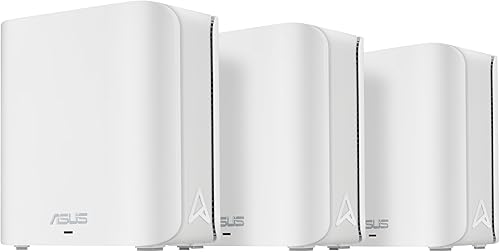
ASUS ZenWiFi BD5 (3-pack): Best for dual-band WiFi 7 with Ethernet backhaul
- Dual-band WiFi 7
- Up to 6,800 sq ft stated coverage
- Ethernet backhaul feature for thick walls
Its Ethernet backhaul feature gives you a wired option for connecting nodes across walls that interfere with wireless links. The dual-band design is simpler than the tri-band BT6.
Pros
- Ethernet backhaul feature for thick walls
- Three units
- AiProtection Pro and parental controls
Cons
- Dual-band system
- Stated coverage is not a guarantee for older layouts
The ASUS ZenWiFi BD5 is a three-pack with dual-band WiFi 7 and an Ethernet backhaul feature for thick walls. If cabling is possible, that feature may be more relevant to an older house than a higher wireless speed number.
ASUS states coverage up to 6,800 sq ft and supports AiMesh expansion with compatible ASUS routers. It also includes AiProtection Pro, parental controls, VPN support, and Smart Home Master SSIDs.
The BD5 is dual-band, while the BT6 above is tri-band. If the units must rely on wireless links, compare their band designs and expected placement needs before choosing; wired backhaul can reduce the importance of that wireless hop.
Choose the BD5 if you want three nodes and a wired route between them. It is a more focused thick-wall choice when Ethernet is available than a system selected only for a large coverage figure.
eero 6+ (3-pack): Best for gigabit plans and three nodes

- WiFi 6
- Up to 4,500 sq ft stated coverage
- Supports 75+ devices
This three-pack can spread coverage across several rooms while keeping the setup within eero's WiFi 6 line. eero says TrueMesh routes traffic to reduce drop-offs and dead spots.
Pros
- Three units
- Supports gigabit speeds
- Built-in smart home hub for compatible Thread and Zigbee devices
Cons
- Lower stated coverage than the other three-packs here
- Ethernet backhaul for thick walls is not specified here
The eero 6+ offers a three-unit mesh system for homes with more modest coverage needs. eero states up to 4,500 sq ft and support for internet plans up to a gigabit.
It uses WiFi 6 and supports the 160 MHz radio channel. eero also says TrueMesh intelligently routes traffic to reduce drop-offs and dead spots, while the app guides setup and network management.
A three-pack can be useful when rooms are separated by walls, but the nodes still need a workable connection path. The system details do not specify Ethernet backhaul for thick walls, so plan placement around the wireless link or check your cabling options.
Pick eero 6+ if you want three nodes for a gigabit plan and don't need the newer WiFi 7 systems. It has lower stated coverage than the other three-packs here, so match it to the size and shape of your home.
How should you place mesh nodes in a thick-wall house?
Place the main router near the modem and a satellite in an open area between it and the weak-signal room. Avoid hiding nodes in cabinets, behind large objects, or directly against thick masonry when you have another position with a clearer path.
Try a hallway, stair landing, or doorway where the node can reach both the router and the target rooms. Our guide to placing mesh WiFi units covers more location choices and common mistakes.
If the connection to a far room remains weak, add a node closer to the main unit rather than placing one at the farthest point. A mesh system works best when each wireless node has enough signal to relay onward.
Is wired backhaul better for old houses?
Wired backhaul can help when thick walls make the wireless connection between mesh nodes unreliable. Ethernet carries data between units over cable, leaving WiFi to connect your phones, TVs, and computers.
If your home has Ethernet wiring, try using it between the main router and satellites. If not, a cable run along a baseboard or through an existing conduit may be an option, depending on the building.
For more detail, read what Ethernet backhaul means on a mesh system. You can also review whether mesh WiFi needs to be wired before choosing a system.
How many mesh nodes do thick walls need?
A thick-wall house may need more nodes than an open home of the same size, but the right number depends on the layout and signal path. Start with the kit size that covers the main floor areas, then check real signal in the rooms you use.
Three units offer more placement choices than two, but adding nodes too close together can waste them. A node should sit where it can connect well to the rest of the mesh and serve nearby rooms.
Use our guide to how many mesh nodes you need to estimate a starting count. For homes spread across two floors, see mesh WiFi options for a 2-story house.
Which mesh WiFi system should you choose for an old house?
Choose the ASUS ZenWiFi BT6 if you can use Ethernet backhaul and want a three-pack with tri-band WiFi 7. Pick the eero Pro 7 for a three-pack with high stated device capacity, or the Orbi 370 when you want a router plus two satellites.
If you only need two units and want tri-band WiFi 7, consider the Orbi 770. For a wired thick-wall setup at a lower score in this comparison, the ASUS ZenWiFi BD5 also lists Ethernet backhaul for thick walls.
The best mesh WiFi system for an old house depends on where walls block signal and whether you can connect nodes by cable. Start with placement and wiring, then match the kit size to the rooms that need coverage.
Our top 3 picks at a glance
-
1
-
2
-
3