Where Should You Place Mesh WiFi Units?
Place the main mesh unit near your modem in an open, central spot, then put each satellite between it and the weak-signal area. Keep units out in the open and close enough to maintain a strong link.
On this page (8 sections)
- Where should you place mesh WiFi units first?
- How do walls and furniture affect mesh placement?
- Where should a mesh satellite go in a two-story home?
- How can you tell if a satellite is too far away?
- Does wired backhaul change where units should go?
- Which mesh WiFi systems suit different home layouts?
- What should you try when a room still has weak WiFi?
- Where should you place mesh WiFi units for the best coverage?
Place the main mesh WiFi unit near your modem in an open, central spot, then put each satellite between that unit and the area with weak WiFi. A satellite needs a good connection to the rest of the mesh, so putting it inside the dead zone can leave it with a weak link.
Start with clear space around each unit. A shelf or table in an open room usually works better than a cabinet, closet, floor corner, or spot hidden behind a television.
Where should you place mesh WiFi units first?
Place the main unit beside your modem, then spread satellites toward the rooms that need better coverage. If the modem is at one end of your home, put the main unit there and use satellites to carry the network toward the other end.
Mesh units work as a team, but they still need to communicate with one another. A satellite placed where it gets little signal from the main unit may not improve the far room.
Before moving anything, note where video calls freeze, pages load slowly, or devices disconnect. That gives you a target area to cover rather than a reason to scatter units around the house.
For a quick overview of how the parts fit together, read Mesh WiFi Explained: Units, Coverage and Setup. If you are deciding how many units to use, see how many mesh nodes you need.
How do walls and furniture affect mesh placement?
Keep each unit in the open, with fewer walls and large objects between it and the next unit. WiFi signals can weaken as they pass through walls, floors, cabinets, and bulky furniture.
Try to avoid placing a unit directly behind a television, inside a bookcase, or beside a large appliance. A small move into the open can help more than adding another node.
Dense materials such as brick, concrete, or stone can make placement harder. If your home has thick walls, use the system’s app to check the connection between units after you set them up.
Should mesh WiFi units be high or low?
Put a mesh unit on a stable shelf or table, rather than on the floor or behind furniture. A higher, open surface can give the signal a clearer path across the room.
Keep it away from objects that block the sides or top of the unit. Follow the manufacturer’s instructions for ventilation and placement.
Where should a mesh satellite go in a two-story home?
Place a satellite near the stairs or landing if that gives it a useful link to the main unit and the upstairs rooms. A unit at the far end of an upper floor may struggle if the signal must first cross a floor and several walls.
In a long or split-level home, place satellites along the route between the modem and the weak rooms. Don’t assume that equal spacing is best; test each location against the rooms you want to cover.
For more layout ideas, see our guide to mesh WiFi for a 2-story house. If thick walls are the main obstacle, our guide to mesh WiFi for older homes covers that kind of layout.
How can you tell if a satellite is too far away?
Check the mesh system’s app or status lights for the satellite’s connection quality. If the app reports a weak link, move that unit closer to the main router or another well-connected node.
A practical approach is to place the satellite partway between the source of the signal and the problem room. Test a few open spots, then keep the one that improves the area without weakening the satellite’s connection.
Don’t judge by the signal bars on a phone alone. Walk through the rooms where you use WiFi and check whether calls, streaming, or downloads stay stable.
If moving a unit does not solve the problem, the home may need another node or a different network layout. Our guide to extending WiFi range at home covers other ways to reach distant rooms.
Does wired backhaul change where units should go?
A wired Ethernet connection between mesh units gives you more placement flexibility. With a cable, a satellite does not need to rely on a wireless link back to the main unit.
You still need to place it near the room or floor where you want coverage. Keep it in an open spot and connect it to Ethernet as the system instructions allow.
Learn how the cable connection works in what Ethernet backhaul is. If you cannot run cable, place each wireless satellite where it can still receive a strong connection from another unit.
Which mesh WiFi systems suit different home layouts?
The best fit depends on how many rooms and floors need coverage, where the modem sits, and whether you can wire satellites. Coverage figures are useful starting points, but walls and placement affect what you get in a real home.
The eero 7 (2-pack) is a two-unit option for a smaller layout or a home where you need one main unit and one satellite. eero says the pair supports coverage up to 4,000 sq. ft.
The ASUS ZenWiFi BT6 (3-pack) gives you three units to place across a larger or more divided home. ASUS says its 3-pack supports coverage up to 7,600 sq. ft.
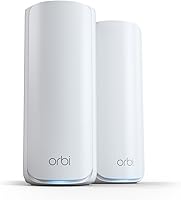
The Netgear Orbi 360 (3-pack) includes a router and two satellites, which can help when coverage needs to extend across multiple areas. NETGEAR says the system covers up to 6,000 sq. ft.
Treat those coverage figures as planning references, not guarantees for every floor plan. Choose the number of units your layout needs, then place them based on the signal between rooms.
What should you try when a room still has weak WiFi?
Move the closest satellite toward the weak room, while keeping it in a spot with a good link to the rest of the mesh. Make one change at a time so you can tell whether the new position helps.
Try moving the unit higher or into a more open area first. If the room remains weak, move it closer to the main unit or add another node between the two locations.
For a detached garage, a mesh unit inside the house may not be enough to cross the outdoor gap. See how to extend WiFi to a detached garage for options.
Where should you place mesh WiFi units for the best coverage?
For the best starting layout, put the main unit near the modem and satellites between it and the rooms with weak WiFi. Keep every unit in the open, then check the mesh app and walk through the problem areas.
If a satellite shows a weak connection, move it closer to the main unit before adding more equipment. For a large or multi-floor home, compare the layout with how many mesh nodes you need and choose a system with enough units for the space.
Frequently asked questions
Where is the best place to put a mesh WiFi router?
Put the main mesh unit near your modem, in an open spot that is as central as your connection allows. Avoid cabinets, closets, and corners behind furniture.
Place satellites between the main unit and weak areas, where they can still receive a good signal from the rest of the system.
Should mesh WiFi units be upstairs or downstairs?
Place units on the floor where you need coverage, then use another unit to connect floors if the signal struggles through the ceiling. In a two-story home, an upstairs satellite often works best near the stairs or landing, with an open path to the main unit.
How far apart should mesh WiFi nodes be?
There is no universal spacing because walls, floors, and building materials affect signal. Start with a satellite between the router and the weak area, then check the system app's connection status or move it closer if the link is poor.
Can I put a mesh WiFi unit in a closet?
A closet is usually a poor place for a mesh unit because walls, doors, and stored items can block or weaken its signal. Put it in an open area instead, away from large appliances and metal objects, and keep it near a power outlet.