8 Best Mesh WiFi for Starlink (October 2026)
The best mesh WiFi systems for Starlink include the eero 7 (3-pack) for most Starlink homes, the Netgear Orbi 770 (3-pack) for large homes and many devices, and the eero 6+ (3-pack) for Gigabit Starlink plans.
On this page (6 sections)
The best mesh WiFi for Starlink for most homes is eero 7 (3-pack), with WiFi 7 and coverage up to 6,000 sq. ft. Orbi 770 is a stronger fit for larger homes, while eero Outdoor 7 is made for extending an eero network to outdoor spaces.
Mesh WiFi can spread Starlink's connection across more rooms, but it can't make the internet service itself faster. Your Starlink hardware, home layout, and how you connect the mesh system all matter.
For connection basics, start with our guide to whether mesh WiFi systems need a modem. If you're planning a multi-unit setup, how to set up a mesh WiFi system walks through the main steps.
Our picks at a glance
-
1

-
2

-
3

Which mesh WiFi systems pair well with Starlink?
The best fit depends on your home's size, the number of connected devices, and whether you need outdoor coverage. We compared the stated coverage, WiFi generation, ports and features for each system, with Starlink compatibility as the main use case.
Our score weighs specs and features against what you're shopping for.
| Product | Best for | WiFi | Coverage | Ethernet | Our score |
|---|---|---|---|---|---|
| eero 7 (3-pack) | most Starlink homes | WiFi 7, dual-band | Up to 6,000 sq. ft. | Two auto-sensing 2.5 GbE ports per unit | 9.0 |
| Netgear Orbi 770 (3-pack) | large homes and many devices | WiFi 7, tri-band | Up to 8,000 sq. ft. | 2.5 Gbps port | 8.7 |
| eero 6+ (3-pack) | Gigabit Starlink plans | WiFi 6 | Up to 4,500 sq. ft. | 8.6 | |
| Netgear Orbi 370 (3-pack) | WiFi 7 across a mid-size home | WiFi 7, dual-band | Up to 6,000 sq. ft. | 2.5 Gbps port | 8.6 |
| eero Outdoor 7 | patios and yards | WiFi 7, dual-band | 8.4 | ||
| ASUS ZenWiFi BT6 (3-pack) | tri-band WiFi 7 | WiFi 7, tri-band | Up to 7,600 sq. ft. | 8.0 | |
| Google Nest Wifi Pro (3-pack) | a WiFi 6E Google setup | WiFi 6E, tri-band | Up to 6,600 sq. ft. | 7.7 | |
| ASUS ZenWiFi BD5 Outdoor | a wired outdoor ASUS node | WiFi 7, dual-band | 7.2 |
The best mesh WiFi for Starlink by home and setup
The eero 7 is the best all-around choice here, while the other picks suit larger homes, WiFi 6E setups or outdoor coverage. Match the system to your Starlink connection and the areas where you need better WiFi.
eero 7 (3-pack): Best for most Starlink homes
- WiFi 7
- Up to 6,000 sq. ft.
- Two auto-sensing 2.5 GbE ports per unit
- Supports plans up to 2.5 Gbps
A three-unit WiFi 7 system with two 2.5 GbE ports on each unit. Its stated coverage suits many homes where Starlink WiFi needs to reach more rooms.
Pros
- Two 2.5 GbE ports per unit
- Supports plans up to 2.5 Gbps
- Works with earlier eero generations
Cons
- Coverage varies with layout and placement
- Optional eero Plus subscription for advanced security features
The eero 7 three-pack is a strong match when you want WiFi 7 across several rooms. Each unit has two auto-sensing 2.5 GbE ports, and the system supports internet plans up to 2.5 Gbps.
eero states that three units cover up to 6,000 sq. ft. and support 120+ devices. Actual reach depends on your home's layout, walls and node placement.
For Starlink, the important step is confirming how your hardware connects to a third-party mesh system. If you plan to use Ethernet, check whether your Starlink setup provides a compatible port or needs an adapter.
The eero app guides setup and network management. The system also works with earlier eero generations, which can help if you're extending an existing eero network.
Netgear Orbi 770 (3-pack): Best for large homes and many devices
- WiFi 7, tri-band
- Up to 8,000 sq. ft.
- Supports up to 100 devices
- Enhanced Backhaul
The router and two satellites are designed for broad coverage and up to 100 devices. NETGEAR says it works with internet providers' equipment and plans up to 2.5 Gbps.
Pros
- Largest stated indoor coverage here
- Tri-band with Enhanced Backhaul
- Orbi app guides setup
Cons
- Coverage varies with home layout and satellite placement
- NETGEAR Armor requires a separate subscription after the trial
The Orbi 770 is the pick for a large home with lots of connected devices. Its router and two satellites are rated for up to 8,000 sq. ft. and 100 devices, with tri-band WiFi 7 and Enhanced Backhaul.
NETGEAR says the system works with internet providers' equipment and plans up to 2.5 Gbps. Connect it to the Starlink equipment through a supported Ethernet connection, then use the Orbi app's guided setup.
The system can be expanded with another Orbi 770 satellite. NETGEAR gives up to 2,750 sq. ft. of additional coverage for that satellite, though walls and placement affect real coverage.
It is made for use in the US only. NETGEAR Armor includes a 30-day trial, then requires a separate subscription.
eero 6+ (3-pack): Best for Gigabit Starlink plans
- WiFi 6
- Up to 4,500 sq. ft.
- Supports 75+ devices
- Built-in Thread and Zigbee smart home hub
This three-unit WiFi 6 option supports plans up to a Gigabit and covers up to 4,500 sq. ft. It's a fit when you want mesh coverage without moving up to WiFi 7.
Pros
- Built-in Thread and Zigbee hub
- App-guided setup
- Works with earlier eero generations
Cons
- WiFi 6 rather than WiFi 7
- Online security and extra management features require a separate subscription
The eero 6+ makes sense if your Starlink plan and home don't call for WiFi 7. It supports plans up to a Gigabit and covers up to 4,500 sq. ft. with three units.
Its 160 MHz radio channel adds WiFi bandwidth, and the built-in smart home hub supports compatible Thread and Zigbee devices with Alexa. The app guides setup and lets you manage the network.
As with any third-party mesh system, first confirm how the Starlink router connects to the main eero unit. The 6+ is backward-compatible with previous eero devices, so it can work alongside compatible older eero units.
Netgear Orbi 370 (3-pack): Best for WiFi 7 across a mid-size home

- WiFi 7, dual-band
- Up to 6,000 sq. ft.
- Supports up to 70 devices
- Enhanced Backhaul
The three-unit system combines a router and two satellites, with stated coverage up to 6,000 sq. ft. and support for up to 70 devices.
Pros
- WiFi 7 with Enhanced Backhaul
- Orbi app guides setup
- Can add a satellite for more coverage
Cons
- Dual-band rather than tri-band
- Coverage varies with home layout and placement
The Orbi 370 suits a mid-size home where you want WiFi 7 and two satellites without the larger coverage target of the Orbi 770. NETGEAR gives it up to 6,000 sq. ft. of coverage and support for up to 70 devices.
This is a dual-band system with Enhanced Backhaul. It supports plans up to 2.5 Gbps, and NETGEAR says WiFi 6 and WiFi 5 devices can connect too.
The Orbi app guides setup and helps manage devices and guest WiFi. NETGEAR says an added Orbi 370 satellite can extend coverage by up to 2,000 sq. ft., depending on the home and its placement.
eero Outdoor 7: Best for patios and yards

- Outdoor WiFi 7
- IP66 weatherproof rating
- Up to 15,000 sq. ft. outdoors
- AC or PoE+ power
This outdoor unit extends an eero mesh network to places such as a patio or yard. It supports AC or PoE+ power and is rated IP66 for protection from dust, rain and snow.
Pros
- Built for outdoor use
- AC or PoE+ power options
- Works with earlier eero generations
Cons
- An outdoor unit, not a three-pack for indoor coverage
- Uses eero app setup
The eero Outdoor 7 is for extending an eero network to places such as a patio or yard. It offers WiFi 7 and a stated outdoor coverage area up to 15,000 sq. ft., with an IP66 rating for protection from dust, rain and snow.
It can use AC or PoE+ power, and eero says it can connect 100+ devices. Its outdoor design makes it a useful addition when the indoor mesh already works but the signal needs to reach beyond the house.
This is one outdoor unit, not a three-pack for indoor coverage. Check that your main mesh setup is compatible and plan a suitable power connection before installing it outside.
ASUS ZenWiFi BT6 (3-pack): Best for tri-band WiFi 7

- Tri-band WiFi 7
- Up to 7,600 sq. ft.
- AiMesh with compatible ASUS routers
- AiProtection Pro
The BT6 three-pack combines tri-band WiFi 7 with stated coverage up to 7,600 sq. ft. It may suit Starlink homes where AiMesh expansion with compatible ASUS routers is useful.
Pros
- Tri-band WiFi 7
- AiMesh expansion with compatible ASUS routers
- AiProtection Pro
Cons
- Best fit depends on compatibility with your ASUS setup
- Stated coverage can vary by home
The ASUS ZenWiFi BT6 is a tri-band WiFi 7 option with stated coverage up to 7,600 sq. ft. across the three-pack. Its AiMesh feature can expand coverage with compatible ASUS routers.
ASUS includes AiProtection Pro, parental controls, VPNs and IoT Network features. Those options may suit a household that wants to manage more than basic WiFi coverage.
Before pairing it with Starlink, confirm the ASUS setup supports the connection mode you plan to use. If you're considering a newer router generation, our guide to whether you need a WiFi 7 router explains when the upgrade may matter.
Google Nest Wifi Pro (3-pack): Best for a WiFi 6E Google setup

- WiFi 6E
- Up to 6,600 sq. ft.
- Three WiFi routers
- Guest network
Three WiFi 6E routers provide stated coverage up to 6,600 sq. ft. Choose this if you want a Google mesh setup and don't need compatibility with earlier Google Wifi or Nest Wifi units.
Pros
- Three bands, including 6 GHz
- Guest network with a separate password
- Can monitor and diagnose some network issues
Cons
- Not compatible with previous Google Wifi or Nest Wifi generations
- 6 GHz access requires a WiFi 6E client
The Google Nest Wifi Pro is a WiFi 6E mesh system with three routers and stated coverage up to 6,600 sq. ft. It may suit a home already organized around Google WiFi, provided you don't need to reuse earlier Google Wifi or Nest Wifi units.
It has three bands, including 6 GHz, and offers a guest network with a separate password. A WiFi 6E client device is needed to use the 6 GHz band directly.
Google says the system can monitor and diagnose some network issues. Check the connection requirements for your Starlink hardware and the Nest Wifi Pro before setting it up.
ASUS ZenWiFi BD5 Outdoor: Best for a wired outdoor ASUS node
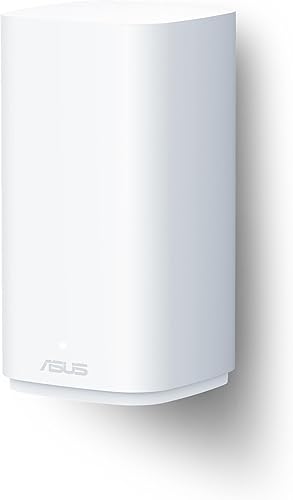
- Outdoor WiFi 7
- IP65 water-resistant and dustproof enclosure
- AC or PoE power
- Two 2.5G PoE-in ports
This outdoor ASUS node supports PoE or AC power and can extend coverage through AiMesh with compatible ASUS routers. Its stated coverage is up to 2,500 sq. ft.
Pros
- IP65 enclosure for outdoor placement
- Two 2.5G PoE-in ports
- Flexible mounting options
Cons
- Requires a compatible ASUS AiMesh setup for extension
- One outdoor node, not a three-pack
The ASUS ZenWiFi BD5 Outdoor is a single outdoor node for a compatible ASUS AiMesh setup. Its enclosure is rated IP65 for water resistance and dust protection, and it can use PoE or AC power.
The unit has two 2.5G PoE-in ports and supports flexible mounting, including wall or pole placement. ASUS gives stated coverage up to 2,500 sq. ft.
This is a specific outdoor extension, not a general indoor mesh kit. Confirm that your existing ASUS router supports AiMesh and plan the power and mounting location before choosing it for a Starlink network.
What should you check before adding mesh to Starlink?
Check the Starlink hardware's available network connection before choosing a mesh kit. The mesh router needs a supported way to connect to the Starlink equipment, often through Ethernet.
Does the Starlink router have an Ethernet port?
The answer depends on your Starlink hardware. Some setups may need an Ethernet adapter, while others may provide an Ethernet port; identify your hardware generation and check its current instructions before buying a mesh system.
You can also compare the mesh system's ports with the connection you have available. The eero 7 has two auto-sensing 2.5 GbE ports on each unit, while both Orbi systems support plans up to 2.5 Gbps.
Should the mesh system replace Starlink WiFi?
That depends on the mesh system's operating modes and your Starlink equipment. Some people may keep the Starlink router in place and connect a mesh system behind it, while other setups may allow a different configuration.
Follow the setup instructions for both systems. Avoid changing router or bypass settings based on a generic guide, since options differ across hardware generations.
How many mesh units will you need?
Start with the coverage area and layout, then add nodes where walls or distance weaken the signal. A stated square-foot figure is a guide, not a guarantee for a home with thick walls, separated buildings or long hallways.
Our guide to how many mesh nodes you need can help you estimate the number. Placement matters too, so use the mesh unit placement guide to plan each node's location.
Can mesh WiFi improve Starlink coverage outside?
Yes, a mesh system can help extend WiFi coverage to outdoor areas, but use a unit designed for the location. eero Outdoor 7 has an IP66 rating and stated outdoor coverage up to 15,000 sq. ft., while ASUS ZenWiFi BD5 Outdoor is rated IP65 with stated coverage up to 2,500 sq. ft.
Plan the connection and power source before mounting an outdoor unit. eero Outdoor 7 supports AC or PoE+, and ASUS BD5 Outdoor supports PoE or AC power.
For a detached garage, shed or other separate structure, the distance and walls between buildings can change the best approach. Our guide to extending WiFi to a detached garage covers those layout questions.
How do you choose the right Starlink mesh system?
Choose by the coverage problem you want to solve. eero 7 is the balanced pick for WiFi 7 and broad home coverage, Orbi 770 fits larger homes, and eero Outdoor 7 suits a compatible eero network that needs outdoor reach.
Pick eero 6+ if WiFi 6 and Gigabit plan support fit your needs. Choose ASUS BT6 or Google Nest Wifi Pro if their respective mesh ecosystem and features suit your setup.
Before ordering, confirm your Starlink model's Ethernet options, the mesh system's setup mode and where each unit will sit. For homes with multiple floors, compare your plan with our guide to mesh WiFi for a 2-story house.
Which mesh WiFi should you pair with Starlink?
Choose eero 7 for a balanced WiFi 7 kit, Orbi 770 when a larger home needs broader stated coverage, and eero Outdoor 7 when the main gap is outside. Start with your Starlink hardware's connection options, then match the system to your home layout and device count.
Our top 3 picks at a glance
-
1
-
2
-
3
Frequently asked questions
Can you use a mesh WiFi system with Starlink?
Yes. Connect the mesh system to Starlink's router or Ethernet adapter, then set up its units according to the mesh maker's instructions.
The exact connection depends on your Starlink hardware and mesh system.
Check the port and operating-mode requirements before buying.
Does mesh WiFi make Starlink faster?
Mesh WiFi can improve the signal in rooms that are far from the main router, but it does not increase the internet speed Starlink delivers to your home.
Your plan, current network conditions, device and placement all affect measured speed. Mesh is mainly useful when coverage is the problem.
Do I need a Starlink Ethernet adapter for mesh WiFi?
Some Starlink setups need an Ethernet adapter to connect a third-party mesh router, while others offer an Ethernet port or another supported connection.
Check your Starlink hardware generation and the mesh system's connection needs before ordering. Our guide to whether mesh systems need a modem explains the equipment roles.
Should I turn off Starlink WiFi when adding mesh?
That depends on how you connect the mesh system and whether it has a router or access-point mode. Avoid running two separate WiFi networks with the same name unless the setup instructions call for it.
Follow the directions for your Starlink hardware and mesh model, then test coverage in the rooms you use.
Where should you put mesh units with Starlink?
Place the main mesh unit near the Starlink router or Ethernet connection, then put satellite units between it and the rooms with weak coverage.
Keep units in open areas and avoid hiding them behind furniture. Our mesh placement guide covers the main location checks.



