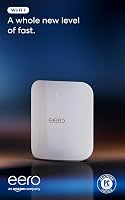
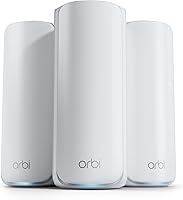
eero Pro 6E vs Google Nest WiFi Pro: Which to Buy? (November 2026)
Pick the eero Pro 6E for faster wired internet and easier expansion, and pick the Google Nest WiFi Pro for simple whole-home coverage in a larger single-family home. In this eero Pro 6E vs Google Nest WiFi Pro comparison, your internet plan speed and how much wired gear you own decide the winner.
On this page (9 sections)
- eero Pro 6E vs Google Nest WiFi Pro: which wins?
- The 2.5 Gb Ethernet port is the biggest split
- Coverage per unit favors the Google system
- Which system handles more devices?
- Setup and app control compared
- Compatibility with older mesh units
- Who should buy the eero Pro 6E?
- Who should buy the Google Nest WiFi Pro?
- How the eero Pro 6E vs Google Nest WiFi Pro verdict lands
Pick the eero Pro 6E if your internet plan runs faster than 1 Gbps or you plan to add more nodes over time, and pick the Google Nest WiFi Pro if you want one router to blanket a large home with little fiddling. The eero Pro 6E vs Google Nest WiFi Pro choice comes down to your internet plan speed, how much wired gear you own and how large a space you need to cover.
The eero Pro 6E leans toward speed and expansion. Its 2.5 Gb Ethernet port supports internet plans up to 2.5 Gbps, and you can add more eero units whenever coverage falls short.
The Google Nest WiFi Pro leans toward simplicity. One router covers up to 4,400 sq. ft., and the system monitors and diagnoses network issues on its own.
For a big house with modest technical patience, that matters more than port speed.


eero Pro 6E vs Google Nest WiFi Pro: which wins?
The eero Pro 6E wins for most people with a fast cable or fiber plan. It has the faster wired port, the clearer expansion path and the more flexible role as either a gateway or an add-on node.
The Google Nest WiFi Pro wins when coverage and low maintenance matter more than wired speed. It covers more than twice the area per router, and its self-monitoring takes some of the guesswork out of running a home network.
Both are tri-band Wi-Fi 6E systems with a 6 GHz band. Neither one is a Wi-Fi 7 router, so if you want the newest standard, look at the eero Max 7 vs eero Pro 7 comparison instead.
| Feature | eero Pro 6E | Google Nest WiFi Pro |
|---|---|---|
| Wi-Fi standard | Wi-Fi 6E tri-band | Wi-Fi 6E tri-band |
| Bands | 2.4, 5 and 6 GHz | 2.4, 5 and 6 GHz |
| Wired port | 2.5 Gb Ethernet | 1 Gb LAN |
| Coverage per unit | Up to 2,000 sq. ft. | Up to 4,400 sq. ft. |
| Connected devices | 100+ | Not capped in the specs |
| Setup app | eero app | Google Home app |
| Self-diagnosis | No | Yes |
| Works with older units | Backward-compatible with older eero devices | Not compatible with older Google Wifi or Nest Wifi |
The 2.5 Gb Ethernet port is the biggest split
The eero Pro 6E has a 2.5 Gb Ethernet port; the Nest WiFi Pro has a 1 Gb LAN port. If your internet plan sits above a gigabit, that difference decides the purchase.
eero says the Pro 6E supports network speeds up to 2.3 Gbps, including wired speeds of up to a gigabit and wireless speeds up to 1.6 Gbps. The 2.5 Gb port is what lets a gigabit-plus plan actually reach the router.
Google lists a 1 Gb LAN port on the Nest WiFi Pro. That is still plenty for most homes on a standard cable or fiber plan.
It just leaves the extra speed of a 2.5 Gbps plan unused at the wired connection.
If your plan tops out at 1 Gbps, this point barely matters. If you are paying for multi-gig service, the eero Pro 6E is the one that puts that bandwidth to work.
Port speed is only half the story, though. The number of ports matters just as much once you start connecting wired gear.
What the port counts mean for wired gear
The eero Pro 6E is sold as a single unit. Its port lineup is built around the gateway role, with the 2.5 Gb Ethernet connection carrying the internet feed into the router.
The rest of your network reaches the outside world through that one fast port.
The Nest WiFi Pro 2-pack gives you two units, and Google lists one LAN port per router with a 1 Gb rating. That is a modest count.
A desktop, a NAS and a console all wanting a cable will exhaust it quickly.
Neither model includes a built-in switch with several open LAN ports. If you own more than a couple of wired devices, budget for an inexpensive gigabit switch and hang it off the router.
That is true for both systems, so the port count alone rarely decides the purchase.
What does change the math is the speed of the uplink port. On the eero side that port can carry a multi-gig feed.
On the Google side the feed lands on a 1 Gb connection. Match your wired gear and internet plan to whichever limit you choose.
Coverage per unit favors the Google system
One Google Nest WiFi Pro router covers up to 4,400 sq. ft., while one eero Pro 6E covers up to 2,000 sq. ft. For a large single-family home, the Google unit needs fewer nodes to reach the same rooms.
The eero figure is a 25 foot radius. That's a comfortable fit for an apartment or a smaller house, but a sprawling floor plan will likely need a second or third eero.
The 2-pack of Nest WiFi Pro gives you two full router units for bigger layouts. Google says you can create a mesh system to match the coverage you need.
Our eero Pro 6E mesh wifi system review covers how adding eero units changes the picture.
Neither coverage figure accounts for walls, floor materials or room layout. A long narrow house or thick interior walls can shrink either number, so plan on an extra node in those cases.
How the coverage math changes with more units
Coverage numbers add up differently depending on how you build the network. With eero, you can start with one Pro 6E as the gateway and add more eero units later.
That keeps the first purchase small and spreads the cost as you learn where the weak spots are.
With Google, the 2-pack already includes a second unit, and you can customize the setup into a mesh system for the coverage you need.
That cap rarely binds in a normal house.
The eero route asks you to buy and place nodes yourself. That is more work up front, but it lets you match the network to the rooms that actually need signal.
A garage, a back bedroom or a home office in a converted space each gets its own unit instead of relying on one router to push through walls.
Google's approach suits a fairly open floor plan where one central router reaches most rooms. eero's approach suits an awkward layout where you already know the dead spots and want to place a node at each one. The coverage figure tells you the starting point, not the finish line.
Which system handles more devices?
The eero Pro 6E is rated for 100+ connected devices. Google doesn't publish a device cap for the Nest WiFi Pro, so the eero gives you the clearer number to plan around.
For a typical home with phones, laptops, a TV, a console and a handful of smart-home gadgets, either system has headroom. The gap shows up in busier homes with dozens of smart plugs, cameras and sensors.
TrueMesh is eero's routing technology, and eero says it intelligently routes traffic to reduce drop-offs. That matters when many devices pull bandwidth at once, like streaming 4K while someone games and another person joins a video call.
Google's pitch is different. Nest WiFi Pro adjusts network performance automatically, prioritizes video calls and helps websites load quickly.
It's less about raw device count and more about keeping the connection steady at the edge of coverage.
One detail worth knowing: both systems put the 6 GHz band to work only for devices that support Wi-Fi 6E. Older phones, laptops and smart-home gear stay on 2.4 GHz and 5 GHz.
So the device count you plan for includes a mix of generations, and the 6 GHz band only lightens the load as you upgrade devices over time.
Setup and app control compared
Both systems set up through a phone app, and both let you manage the network without a computer. The difference is how much the app does for you after setup.
The eero app walks you through setup and lets you manage the network from anywhere. eero also offers free customer support by phone and email in the US. Automatic updates keep the system current over time.
Google's system takes a hands-off approach. Nest WiFi Pro monitors itself, diagnoses network issues and can fix some common issues on its own.
It also shows every device connected to the network, so you can pause access for unknown devices and run a guest network with a separate password.
If you like to tinker with settings and see what the network is doing, the eero app gives you more direct control. If you would rather the system handle routine problems, the Google approach is easier to live with.
Security and parental controls
The two systems handle network protection in different ways. eero includes online security and additional network management features through a separate subscription. The base system still gets automatic updates to help keep the network safe, but the extra tools sit behind the paid tier.
Google builds its protections into the system. Secure booting and software updates help protect Nest WiFi Pro from running unauthorized software and router hacks.
The app shows every connected device and lets you pause access for unknown ones, which is a practical parental control without a subscription.
For a family that wants to manage what kids can reach, the Google approach covers the basics out of the box. For a household willing to pay for deeper security features, eero offers more once you add the subscription.
Factor that ongoing cost into the comparison if security tools matter to you.
Compatibility with older mesh units
The eero Pro 6E is backward-compatible with previous-generation eero devices; the Nest WiFi Pro is not compatible with older Google Wifi or Nest Wifi units. This is the point that can save or cost you money.
If you already own eero units, you can add the Pro 6E to the existing network or use one as a gateway to replace your current router. That's a smooth upgrade path.
If you own older Google Wifi or Nest Wifi hardware, the Nest WiFi Pro starts fresh. Google states plainly that the Pro isn't compatible with previous generations.
You would replace the old units rather than extend them.
Buyers who are building a network from scratch don't have to worry about this. Buyers with existing hardware should price out the full replacement before choosing Google.
The eero extender model sold separately follows the same rule. An eero 6 extender adds up to 1,500 sq. ft. of Wi-Fi 6 coverage, but it requires an existing eero network.
That is the same logic the Pro 6E uses: any eero unit can join an eero mesh, which makes the ecosystem forgiving when you upgrade piece by piece.
Who should buy the eero Pro 6E?
Buy the eero Pro 6E if you have a fast internet plan, want a 2.5 Gb port or already own eero gear. It's the more flexible system for people who expect to grow their network.
A household on a gigabit-plus fiber plan gets the most from the 2.5 Gb port. So does a home with a wired desktop, a NAS or a gaming console that benefits from a fast Ethernet connection.
If you already have eero units, adding a Pro 6E is the least disruptive upgrade. The system also makes sense for renters who may move to a bigger place later and can add nodes as needed.
Skip it if one unit's 2,000 sq. ft. coverage won't reach your main living areas. In a large house, the extra nodes add cost and setup time.
Who should buy the Google Nest WiFi Pro?
Buy the Google Nest WiFi Pro if you want one router to cover a large home with minimal maintenance. It's the simpler choice for a big single-family house on a standard internet plan.
The 4,400 sq. ft. coverage per router means fewer units in many homes. The self-monitoring and self-diagnosing features suit people who don't want to think about their network after setup.
The device visibility and guest network features are handy for families and shared households. You can pause access for unknown devices without hunting through settings menus.
Skip it if you have a multi-gig internet plan, since the 1 Gb LAN port caps the wired connection. Also skip it if you already own older Google Wifi or Nest Wifi units and hoped to extend them.
How the eero Pro 6E vs Google Nest WiFi Pro verdict lands
For most readers, the eero Pro 6E is the better buy because of its faster port and easier expansion. The eero Pro 6E vs Google Nest WiFi Pro decision tips to eero when speed and growth matter, and to Google when coverage and simplicity matter.
Pick the eero Pro 6E if your internet plan runs above 1 Gbps or you already own eero hardware. Its 2.5 Gb port and backward compatibility make it the more future-proof pick in this pair.
Pick the Google Nest WiFi Pro if you have a large home and a standard plan. The 4,400 sq. ft. coverage and automatic troubleshooting make it easier to run without tinkering.
If neither feels right because you want the newest Wi-Fi standard, read the eero 7 vs eero 6+ comparison to see whether Wi-Fi 7 is worth the jump. For outdoor coverage around a yard or patio, the eero Outdoor 7 review covers that option.
Frequently asked questions
Does Google Nest WiFi Pro work with older Nest Wifi units?
No. Nest WiFi Pro uses Wi-Fi 6E and is not compatible with previous generations of Google Wifi or Nest Wifi.
If you already own older Google units, plan to start a new network with the Pro units rather than mixing them.
Can I add more units to either mesh system later?
Yes. You can add more eero units to an existing eero network, and the eero Pro 6E can act as a gateway or as an add-on.
Google says you can customize a Nest WiFi Pro setup into a mesh system for the coverage you need.
Which one has more Ethernet ports?
The eero Pro 6E includes a 2.5 Gb Ethernet port for gigabit-plus internet plans. The Nest WiFi Pro has one 1 Gb LAN port.
Neither model offers the port count of a dedicated switch, so check what your wired gear needs before you buy.
Do both systems support the 6 GHz band?
Yes. Both are Wi-Fi 6E systems with a 6 GHz band, which newer phones and laptops can use directly.
Older devices without 6E support will still connect on the 2.4 GHz and 5 GHz bands.
Which system is easier to set up for a non-technical household?
Both set up through their phone apps. The eero app walks you through setup and lets you manage the network from anywhere.
Google says Nest WiFi Pro monitors itself, diagnoses issues and can fix some common problems on its own.