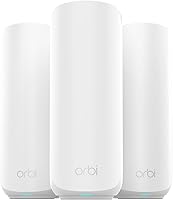
eero Pro 6E Review: Mesh WiFi System (November 2026)
The eero Pro 6E is the mesh WiFi system to buy if you want simple setup and a 2.5 Gb port for a gigabit+ plan, since its 2-pack covers up to 4,000 sq. ft. and handles 100+ devices. Pick a tri-band WiFi 7 kit instead if you already own WiFi 7 phones and laptops and want the newest band.
On this page (7 sections)
The eero Pro 6E is the mesh WiFi system to buy for most people who want simple setup and a fast wired port, because its 2.5 Gb Ethernet port lets it serve internet plans up to 2.5 Gbps and its two units cover up to 4,000 sq. ft. This eero Pro 6E mesh WiFi system review covers what the kit actually delivers and where a rival makes more sense.
It's eero's first WiFi 6E system, so it adds the 6 GHz band for newer phones and laptops. Setup runs through the eero app, and TrueMesh routing handles how traffic moves between the two units.
The catch is cost and the subscription extras.
The eero Pro 6E at a glance
The Pro 6E 2-pack gives you WiFi 6E coverage for a mid-size home and a port that keeps up with gigabit+ plans. It's the pick here when easy app setup matters more than squeezing out the widest coverage per dollar.
Amazon eero Pro 6E mesh wifi system: Best for gigabit+ plans and easy setup

- 2-pack covers up to 4,000 sq. ft.
- 2.5 Gb Ethernet port for gigabit+ plans
- WiFi 6E with the 6 GHz band
- Supports 100+ devices
A two-unit kit that supports internet plans up to 2.5 Gbps and 100+ devices across 4,000 sq. ft. The app-led setup and TrueMesh routing make it the easiest pick here to live with.
Pros
- 2.5 Gb port enables gigabit+ internet plans
- Covers up to 4,000 sq. ft. with two units
- WiFi 6E adds the 6 GHz band for newer devices
- TrueMesh routing and app setup keep it simple
Cons
- Costs more than the Deco X55 kit
- Some security and network features need a subscription
The kit is sold as a two-pack, so you get one main unit and one satellite. That's enough for a typical single-family home, but the count matters if you have thick walls or several floors.
Who should buy the eero Pro 6E?
Buy it if your internet plan is gigabit or faster and you want hardware that won't cap it at the router. The 2.5 Gb port is the reason to choose this kit over cheaper mesh systems.
The 2.5 Gb port is why eero rates this kit for plans up to 2.5 Gbps, though eero still lists wired speeds of up to a gigabit.
It also fits homes with WiFi 6E phones and laptops. Those devices get the 6 GHz band, and eero says that band lowers latency across the network, even for gear that doesn't support it.
That matters most when several people stream, game or take video calls at once.
The kit also suits renters and anyone who wants to set up WiFi without reading a manual. Everything runs from the phone app, and eero's TrueMesh routing is designed to keep devices on the strongest unit without you adjusting anything.
Skip it if your plan is 1 Gbps or slower and your home is large. A wider-coverage kit costs less and still fills the space.
Skip it too if you already own WiFi 7 gear and want the newest band, since a tri-band WiFi 7 kit gives you more to grow into.
The specs that matter in daily use
The headline number is coverage of up to 4,000 sq. ft. with 100+ devices, which suits a family home with streaming, gaming and smart-home gear. eero rates the kit for plans up to 2.5 Gbps.
The 6 GHz band is the other key feature. WiFi 6E opens that band for newer devices, so traffic splits across three bands instead of two.
Busy homes feel that most when several people stream or game at once. The 6 GHz band also has less congestion from neighbours' networks than the crowded 2.4 and 5 GHz bands.
Speed ratings help you set expectations. eero lists network speeds up to 2.3 Gbps, with wired speeds up to a gigabit and wireless speeds up to 1.6 Gbps. A 2.5 Gbps plan won't reach its full rate over WiFi, but the wired port leaves headroom for a desktop or NAS.
That's the honest picture: the port is future-proofing, not a promise of 2.5 Gbps to every phone.
TrueMesh is eero's routing layer. The brand says it routes traffic intelligently to reduce drop-offs and dead spots, which matters in homes where one corner sits far from the main unit.
The two units talk to each other and steer each device to whichever one gives it the cleaner signal.
Backward compatibility is part of the spec sheet too. eero says the Pro 6E works with previous-generation eero devices. If you already own an older eero, you can add the Pro 6E units and keep the old ones in the mix rather than starting over.
What setup is like with the eero app
Setup runs through the eero app, which walks you through the steps and then manages the network from anywhere. You don't need to log into a browser admin page to get the kit running.
Place the first unit near your modem, then put the second one roughly halfway toward the weak spot. Keep both out in the open rather than inside a cabinet.
The app confirms each unit as it joins. The second unit needs power and a spot within reach of the first, but it does not need its own cable back to the modem.
Once the network is up, the app handles device names, guest access and network checks. eero also sends automatic updates to keep the network safe and secure. You can check the network from outside the house too, which helps when you want to confirm everything is running while you're away.
Support is part of the package. eero offers phone help in the US at +1-877-659-2347 and email support at support@eero.com, which helps if setup stalls. That's more direct than most mesh brands, which push you toward a web form or a community forum first.
The kit also fits around an existing eero network. If you already run eero units, the app adds the new ones to the same network name and they start working together.
That keeps the upgrade simple rather than turning it into a rebuild.
Living with it day to day
Day-to-day use is mostly hands-off, which is the point of the eero approach. The app shows connected devices and lets you pause or manage access without digging through menus.
Updates arrive automatically. That keeps the network current, though some security and network management features sit behind a separate subscription.
Budget for that only if you want the extras. The core job of moving WiFi around the house doesn't depend on the subscription.
The 6 GHz band rewards newer devices. Put your newest laptop or phone on it and leave older smart-home gear on 2.4 GHz.
Splitting devices this way keeps the busiest hardware on the clearest band. Older gadgets that only speak 2.4 GHz still get a stable connection, while the newer gear gets the fast lane.
The 2.5 Gb port is the other everyday win. A desktop, a NAS or a wired games console plugged into it gets wired speeds of up to a gigabit, while the rest of the house stays on WiFi.
That mix of one fast wired device and many wireless ones is how most busy homes actually use a router.
TrueMesh shows up in small ways. Walking from room to room, devices should move between the two units without dropping a call or stalling a stream.
You won't see the routing, which is the goal.
If you want coverage past the house, our eero Outdoor 7 review looks at the model built for yards and patios.
Where the eero Pro 6E falls short
The main trade-off is price against coverage. Two eero units cover up to 4,000 sq. ft., while a three-unit rival kit covers more space for less money.
If your home is long or has thick interior walls, two units may leave a corner thin.
The second is the subscription. Basic security and updates come with the kit, but the fuller security and network management features cost extra each month.
That changes the long-term cost. A buyer who wants parental controls or deeper network controls should add that to the budget before choosing.
The third is band count. The Pro 6E is not a tri-band WiFi 7 system, so it won't match the newest kits on paper for future devices.
It's still a strong fit for today's gigabit+ homes, but it won't get faster when WiFi 7 gear becomes common.
The kit also stops at 100+ devices on eero's rating. A very device-heavy home, with dozens of smart plugs, cameras and sensors, may want a kit rated for more.
Most families won't come close to the limit.
None of these make it a bad buy. They just mean you should match the kit to your plan and floor plan before ordering.
How it compares with the alternatives here
The eero Pro 6E wins on setup and its 2.5 Gb port, but two rival kits beat it on coverage and on WiFi 7. Compare the three by what your home and plan actually need.
TP-Link Deco X55 AX3000 WiFi 6 Mesh
The Deco X55 3-pack covers up to 6,500 sq. ft. and connects up to 150 devices, which is more reach than the eero kit for less money. Each unit has three Gigabit ports and supports wired Ethernet backhaul.
It's dual-band WiFi 6, so no 6 GHz band and no 2.5 Gb port. Pick it for a big home on a standard gigabit plan.
See our guide to the best mesh WiFi system for fiber for fiber-specific advice.
The three units are the reason it reaches so far. A third node means more places to put a strong signal, which helps in a house with an L-shaped plan or a garage that needs coverage.
The trade-off is speed headroom: with Gigabit ports and a dual-band radio, a multi-gig plan is wasted on it.
TP-Link Deco 7 Pro Tri-Band WiFi 7
The Deco 7 Pro moves to WiFi 7 tri-band with speeds up to BE10000 and four 2.5G WAN/LAN ports plus a USB 3.0 port. Its 3-pack covers up to 7,600 sq. ft. and 200+ devices.
It costs more, and WiFi 7 gains only appear on WiFi 7 devices. Choose it if you're buying for the next few years.
Our Orbi 370 vs eero 7 comparison shows how the newer eero kit stacks up against a rival.
The four 2.5G ports are the practical draw. You can wire a PC, a NAS and a console at multi-gig speed, or use one port for wired backhaul between units.
It also includes a USB 3.0 port, and VPN client and server support is built in. Those are features the eero kit leaves to its subscription or skips.
Verdict: buy the eero Pro 6E for easy gigabit+ WiFi
Buy the eero Pro 6E if you want simple app setup, a 2.5 Gb port for a gigabit+ plan and coverage up to 4,000 sq. ft. from two units. It's the easiest kit here to live with and the best match for a modern fast plan in a typical home.
Pick the Deco X55 3-pack instead if your home is large and your plan is 1 Gbps or slower, since it covers more space for less. Pick the Deco 7 Pro if you already own WiFi 7 devices and want tri-band speed plus multi-gig wiring.
The eero stays the safe middle choice: fast enough for today's plans, simple enough to set up without help, and backed by phone support if something goes wrong.
Unsure which fits your house? Our guide to what WiFi mesh system you need walks through coverage, plan speed and device count.
Our scores weigh specs, features and the fit with what you're shopping for.
Frequently asked questions
Does the eero Pro 6E work with older WiFi devices?
Yes. eero says the Pro 6E is backward-compatible with previous-generation eero devices and with older WiFi gear. Non-6E devices still connect on the 2.4 and 5 GHz bands, and eero says the 6 GHz band also helps lower latency across the network.
How many square feet does the eero Pro 6E 2-pack cover?
eero rates the 2-pack for up to 4,000 sq. ft. and 100+ connected devices. Real coverage depends on wall materials, floor layout and where you place the two units, so a long or multi-story home may need a third eero.
Do I need a subscription to use the eero Pro 6E?
No. The router works without one, and eero sends automatic updates to keep the network safe. eero sells online security and extra network management features as a separate subscription if you want them.
Can the eero Pro 6E keep up with a 2.5 Gbps internet plan?
It supports internet plans up to 2.5 Gbps through its 2.5 Gb Ethernet port. eero lists network speeds up to 2.3 Gbps, with wired speeds up to a gigabit and wireless up to 1.6 Gbps, so a multi-gig plan won't hit its full rate over WiFi.
Is the eero Pro 6E worth it over a WiFi 6 mesh kit?
Choose the eero Pro 6E when you have a gigabit+ plan or WiFi 6E devices and want the 6 GHz band plus simple app setup. A WiFi 6 kit like the Deco X55 covers more space for less, which suits most homes without multi-gig internet.