eero Max 7 vs eero Pro 7: Which Top eero Fits? (October 2026)
Choose eero Max 7 for a single high-capacity router with 10 GbE ports, or eero Pro 7 for a 3-pack with broader stated coverage. Your home layout, internet plan and need for multiple units decide which fits.
On this page (6 sections)
Choose eero Max 7 for a single high-capacity router with 10 GbE ports, or eero Pro 7 for a 3-pack with broader stated coverage. The eero Max 7 vs eero Pro 7 choice depends on your internet plan, home layout and how many devices you connect.
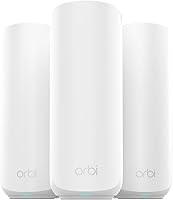
The Max 7 supports plans up to 10 Gbps and covers up to 2,500 sq. ft. as a 1-pack. The Pro 7 3-pack supports plans up to 5 Gbps, with stated coverage up to 6,000 sq. ft.
The included eero 7 3-pack gives you a lower-capacity Wi-Fi 7 reference point with the same stated coverage as the Pro 7 3-pack.

eero Max 7 vs eero Pro 7: which fits your home?
Pick the Max 7 for faster wired ports and higher plan support; pick the Pro 7 3-pack when you need multiple units and broader stated coverage. The packs serve different network needs, so compare what you get per setup rather than treating them as equal unit counts.
| Product | Best for | Internet plan support | Ethernet ports | Pack coverage | Our score |
|---|---|---|---|---|---|
| eero Max 7 (1-pack) | multi-gigabit wired links | Up to 10 Gbps | Two 10 Gigabit | Up to 2,500 sq. ft. | 8.2 |
| eero Pro 7 (3-pack) | whole-home multi-unit coverage | Up to 5 Gbps | Two auto-sensing 5 GbE | Up to 6,000 sq. ft. | 8.8 |
| eero 7 (3-pack) | a simpler Wi-Fi 7 comparison | Up to 2.5 Gbps | Two auto-sensing 2.5 GbE | Up to 6,000 sq. ft. | 9.0 |
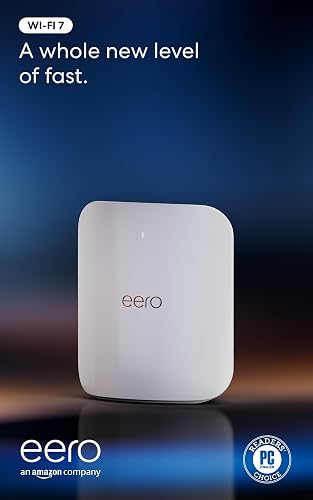
The Max 7 is a single router. eero states coverage up to 2,500 sq. ft. and support for 250+ devices.
The Pro 7 option here is a 3-pack. Its stated coverage reaches up to 6,000 sq. ft., and the three units support 600+ devices.
Those coverage figures are manufacturer claims, not a guarantee for every home. Walls, floor plan, unit placement and connected devices can affect the coverage you get.
Which system suits a smaller or open home?
The Max 7 can fit a smaller or more open home if one unit reaches the areas where you use Wi-Fi. Its two 10 Gigabit Ethernet ports also suit a setup with multi-gigabit wired equipment.
A 1-pack may not be enough when your home has several floors, thick walls or distant rooms. Use our guide to how many mesh nodes your home may need to think through the number of units and their placement.
Which system suits a larger home?
The Pro 7 3-pack is the more direct fit for a larger home because it includes three units and has stated coverage up to 6,000 sq. ft. You can place the units across rooms or floors to bring Wi-Fi closer to areas that need it.
The 6,000 sq. ft. figure does not promise full-speed coverage in every layout. For a two-story home, see our advice on choosing mesh Wi-Fi for a 2-story house.
How do their internet speeds and ports compare?
The Max 7 has higher stated plan support and faster Ethernet ports; the Pro 7 still supports plans up to 5 Gbps. Your internet plan and wired devices determine whether the difference matters.
The Max 7 supports plans up to 10 Gbps, has two 10 Gigabit Ethernet ports and lists wireless speeds up to 4.3 Gbps. Its multi-gigabit backhaul speeds are designed for connections between mesh units, though this option is only a 1-pack.
The Pro 7 supports plans up to 5 Gbps with two auto-sensing 5 GbE ports. Its stated wireless speeds reach up to 3.9 Gbps.
These figures describe maximum supported speeds, not the speed every device will receive. Your internet service, client device, distance and network conditions affect actual results.
Will a 10 Gbps plan make the Max 7 faster?
The Max 7 is the clear fit if your internet plan is above 5 Gbps and you want a router with stated support up to 10 Gbps. Its two 10 Gigabit Ethernet ports also offer more wired capacity than the Pro 7's two 5 GbE ports.
A 10 Gbps-capable router won't raise the speed of a slower internet plan. Check that your modem or other connection equipment and wired devices can also support the speeds you want to use.
For a home plan at or below 5 Gbps, the Pro 7's stated plan support may be enough. Consider the coverage benefit of the 3-pack alongside the port and speed differences.
What do the Ethernet ports mean for mesh backhaul?
Ethernet backhaul uses a wired connection between mesh units, which can help when you want to link units by cable. The Max 7's 10 Gigabit ports and multi-gigabit backhaul speeds give it a higher stated wired capacity.
The Pro 7 has two auto-sensing 5 GbE ports per unit. If wiring the units is part of your plan, first check where Ethernet can reach and whether your home network equipment supports the connection.
Read what Ethernet backhaul means on a mesh system before choosing a wired layout. A wireless setup can still work, but each placement needs a usable connection to the network.
How many devices can each eero handle?
The Pro 7 3-pack is rated for 600+ devices, while the Max 7 is rated for 250+ devices. Count your connected devices, but remember that the number alone does not describe how much network capacity your household needs.
Phones, computers, cameras, TVs and smart home devices all add to the total. Devices that stream, game or transfer large files can put more demand on the network than an idle sensor.
The Pro 7's higher stated device count pairs with three units and broader coverage. The Max 7 offers a higher top internet-plan figure in a single unit.
The eero 7 3-pack supports 120+ devices. If your household has fewer high-demand devices and a plan up to 2.5 Gbps, it may be a useful lower-capacity comparison.
Does Wi-Fi 7 change the choice?
Both the Max 7 and Pro 7 use Wi-Fi 7, so the deciding differences are their pack sizes, stated speeds, ports and capacity. Wi-Fi 7 alone doesn't tell you which system fits your home better.
The Max 7 supports wireless speeds up to 4.3 Gbps, while the Pro 7 lists up to 3.9 Gbps. Both include Wi-Fi 7 features, and the Pro 7 specifically names multi-link operation (MLO).
Wi-Fi 7 can be useful with compatible devices and a fast internet plan, but older devices can still connect. If you are weighing the upgrade itself, our guide explains whether you need a Wi-Fi 7 router yet.
What does the eero 7 3-pack add to the comparison?
The eero 7 3-pack keeps the Pro 7's stated 6,000 sq. ft. coverage while lowering the stated speed and device limits. It helps show whether you need the Pro tier's added capacity.
The eero 7 supports plans up to 2.5 Gbps, wireless speeds up to 1.8 Gbps and 120+ devices. The Pro 7 steps up to plans up to 5 Gbps, wireless speeds up to 3.9 Gbps and 600+ devices.
Both are Wi-Fi 7 systems, and each 3-pack is stated to cover up to 6,000 sq. ft. The Pro 7 makes more sense when its higher speed and device support match your plan or household.
See our eero 7 vs eero 6+ comparison for another eero decision. If you are choosing among brands, our Wi-Fi 7 mesh system guide covers more options.
Which eero should you choose?
Choose the Max 7 for a single unit, higher plan support and 10 Gigabit ports; choose the Pro 7 3-pack for a larger area and more device capacity. Use the eero 7 3-pack as a reference if its lower speed and device limits already match your needs.
The Max 7 is a stronger fit for a plan above 5 Gbps or wired equipment that can use 10 Gigabit ports. Its 1-pack coverage is stated up to 2,500 sq. ft., so consider the layout before relying on one unit.
The Pro 7 is a stronger fit when you want three Wi-Fi 7 units, stated coverage up to 6,000 sq. ft. and support for 600+ devices. Choose it if your plan is within its 5 Gbps limit and the extra units suit your floor plan.
For eero basics, start with our guide to whether eero is a good router for your home. Then match the pack, wired ports and supported plan to the way your household uses Wi-Fi.
Frequently asked questions
Is eero Max 7 better than eero Pro 7?
eero Max 7 suits a single-router setup with a plan up to 10 Gbps and two 10 Gigabit Ethernet ports. eero Pro 7 suits broader coverage in the 3-pack, which is stated to cover up to 6,000 sq. ft. and support 600+ devices. Better depends on your plan and home layout.
How much coverage does eero Max 7 provide?
One eero Max 7 is stated to cover up to 2,500 sq. ft. Actual coverage can vary with your floor plan, building materials and placement.
For a larger or divided home, compare the single-unit coverage with a multi-unit setup and plan where each unit can connect.
Does eero Pro 7 support a 10 Gbps internet plan?
The eero Pro 7 supports internet plans up to 5 Gbps, so its stated plan support is below 10 Gbps. The eero Max 7 supports plans up to 10 Gbps.
Check your service tier and wired equipment before choosing either system.
Can eero Max 7 and eero Pro 7 work with older eero devices?
Both models fit into an eero setup that includes earlier generations: eero Max 7 is described as compatible with previous eero generations, and eero Pro 7 is backward compatible with them. Check the eero app and support guidance for setup details before mixing units.
Should I choose eero Pro 7 or eero 7?
Choose eero Pro 7 when you need support for plans up to 5 Gbps, wireless speeds up to 3.9 Gbps or capacity for 600+ devices in a 3-pack. eero 7 supports plans up to 2.5 Gbps and 120+ devices, with the same stated 6,000 sq. ft. coverage for its 3-pack.