8 Best WiFi 7 Mesh Systems for Whole-Home Coverage (October 2026)
The best WiFi 7 mesh systems for whole-home coverage include the eero 7 (3-pack) for everyday whole-home WiFi 7, the eero Pro 7 (3-pack) for multi-gig plans, and the Netgear Orbi 770 (3-pack) for larger homes.
On this page (4 sections)
The best WiFi 7 mesh system for most homes is the eero 7 (3-pack), with stated coverage up to 6,000 sq. ft. and support for plans up to 2.5 Gbps. Choose Orbi 770 for a larger stated coverage area, eero Pro 7 for a plan up to 5 Gbps, or ASUS BT8 if you want a two-unit kit with wired backhaul options.
A three-pack usually includes one router and two extra units, but coverage figures are estimates rather than guarantees. Walls, floors, interference, and where you place each unit can change the result, so match the kit to your layout and devices instead of shopping by the biggest number alone.
If you're weighing whether to upgrade, start with whether you need a WiFi 7 router. For the basics of mesh units and coverage, see mesh WiFi explained.
Our picks at a glance
-
1

-
2

-
3

How we chose the best WiFi 7 mesh systems
We compared the stated coverage, supported internet plan speeds, bands, wired ports, device capacity, and expansion options for each system. Our score weighs specs, features and buyer feedback against what you're shopping for.
Coverage claims are useful for comparing kits, but they don't promise the same result in every home. A long hallway, dense walls, or a satellite tucked behind a TV can make a smaller home harder to cover than its square footage suggests.
The comparison table highlights the differences that most affect a whole-home setup. Use your internet plan and possible node locations as the first filters.
| Product | Best for | Coverage | Internet plan | Band | Our score |
|---|---|---|---|---|---|
| eero 7 (3-pack) | everyday whole-home WiFi 7 | Up to 6,000 sq. ft. | Up to 2.5 Gbps | Dual-band | 9.0 |
| eero Pro 7 (3-pack) | multi-gig plans | Up to 6,000 sq. ft. | Up to 5 Gbps | Tri-band | 8.8 |
| Netgear Orbi 770 (3-pack) | larger homes | Up to 8,000 sq. ft. | Up to 2.5 Gbps | Tri-band | 8.7 |
| ASUS ZenWiFi BT6 (3-pack) | included network controls | Up to 7,600 sq. ft. | Tri-band | 8.0 | |
| Netgear Orbi 370 (3-pack) | dual-band Orbi coverage | Up to 6,000 sq. ft. | Up to 2.5 Gbps | Dual-band | 8.6 |
| Netgear Orbi 360 (3-pack) | a 6,000 sq. ft. Orbi setup | Up to 6,000 sq. ft. | Up to 2.5 Gbps | Dual-band | 7.7 |
| ASUS ZenWiFi BT8 (2-pack) | two-node wired backhaul | Up to 5,900 sq. ft. | Tri-band | 7.6 | |
| Linksys Velop Micro 7 | account-free setup | Up to 6,600 sq. ft. | Dual-band | 6.9 |
Which WiFi 7 mesh system fits your home?
The best match depends on your internet plan, layout and interest in extra features. These eight kits cover a range of stated coverage areas, device limits and setup choices.
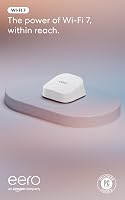
eero 7 (3-pack): Best for everyday whole-home WiFi 7
- Up to 6,000 sq. ft. coverage
- Plans up to 2.5 Gbps
- Two auto-sensing 2.5 GbE ports per unit
- Supports 120+ devices
The three-unit eero 7 supports plans up to 2.5 Gbps and covers up to 6,000 sq. ft. It also works with earlier eero generations.
Pros
- Two 2.5 GbE ports per unit
- Supports 120+ devices
- Backward compatible with previous eero generations
Cons
- Dual-band system
- Coverage depends on layout and placement
The eero 7 is the straightforward pick for a home that wants WiFi 7 without stepping up to the Pro model's higher plan limit. Three units are stated to cover up to 6,000 sq. ft. and support more than 120 devices.
Each unit has two auto-sensing 2.5 GbE ports, which gives you wired connection options for compatible equipment. The system is dual-band and supports internet plans up to 2.5 Gbps.
The eero 7 is backward compatible with earlier eero generations and select Amazon Echo devices with eero Built-in. If you already have eero gear, that compatibility may help you keep parts of your current setup.
Choose it for a typical whole-home upgrade where the plan does not exceed 2.5 Gbps. The stated coverage is a ceiling, so plan how many mesh nodes you need and place them where they can communicate well.
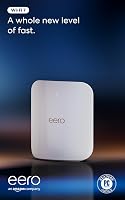
eero Pro 7 (3-pack): Best for multi-gig plans
- Up to 6,000 sq. ft. coverage
- Plans up to 5 Gbps
- Two auto-sensing 5 GbE ports per unit
- Supports 600+ devices
The tri-band eero Pro 7 supports plans up to 5 Gbps and has two 5 GbE ports per unit. Its three-unit set supports 600+ devices.
Pros
- Higher supported plan speed than eero 7
- Two 5 GbE ports per unit
- Backward compatible with previous eero generations
Cons
- Coverage is stated up to 6,000 sq. ft.
- Some security and management features require an optional subscription
The eero Pro 7 is the eero option here for internet plans up to 5 Gbps. Its three units are stated to cover up to 6,000 sq. ft. and support more than 600 devices.
It is tri-band and has two auto-sensing 5 GbE ports per unit. Those ports and the higher supported plan limit are most useful when your internet service and wired devices can take advantage of them.
Like the eero 7, the Pro 7 works with earlier eero generations and select Echo devices with eero Built-in. Some security and management features are available through an optional eero Plus subscription.
Pick the Pro 7 when the plan limit and tri-band design suit your network. If your connection is below 2.5 Gbps and your device count is ordinary, compare it with the less costly tier of eero gear before deciding.
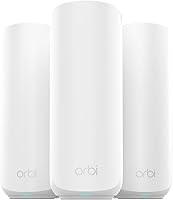
Netgear Orbi 770 (3-pack): Best for larger homes
- Up to 8,000 sq. ft. coverage
- Tri-band with Enhanced Backhaul
- Up to 100 devices
- Add-on satellite can add up to 2,750 sq. ft.
The Orbi 770 combines a router and two satellites for stated coverage up to 8,000 sq. ft. Its tri-band design includes Enhanced Backhaul.
Pros
- Largest stated coverage in this group
- Works with cable or fiber provider equipment
- Orbi app guides setup
Cons
- Made for use in the US only
- NETGEAR Armor requires a separate subscription after its 30-day trial
The Orbi 770 has the largest stated coverage among these picks at up to 8,000 sq. ft. The kit includes a router and two satellites, and NETGEAR says it can link up to 100 devices.
Its tri-band design includes Enhanced Backhaul, and it supports cable or fiber provider equipment with plans up to 2.5 Gbps. NETGEAR also says another Orbi 770 satellite can add up to 2,750 sq. ft. of coverage.
The Orbi app guides setup and lets you manage guest WiFi and connected devices. Advanced Router Protection and automatic firmware updates are included, while NETGEAR Armor starts with a 30-day trial and then requires a separate subscription.
Choose it when the stated coverage and tri-band design fit a large or multi-storey home. This system is made for use in the US only, and actual coverage depends on construction and placement.
ASUS ZenWiFi BT6 (3-pack): Best for included network controls

- Up to 7,600 sq. ft. coverage
- Tri-band WiFi 7
- AiProtection Pro and parental controls
- AiMesh supports compatible ASUS routers
The BT6 three-pack has stated coverage up to 7,600 sq. ft. and includes AiProtection Pro and parental controls.
Pros
- Tri-band WiFi 7
- AiProtection Pro included
- Can extend with compatible ASUS routers
Cons
- Coverage varies with home conditions
- Check the unit's wired port needs against your setup
The ASUS ZenWiFi BT6 is a three-pack with stated coverage up to 7,600 sq. ft. Its tri-band WiFi 7 system supports speeds up to 9.4 Gbps, according to ASUS.
ASUS includes AiProtection Pro and parental controls, plus VPN features and Smart Home Master SSIDs for managing IoT networks. AiMesh can extend coverage with compatible ASUS routers, which may matter if you already use ASUS networking gear.
The broad coverage figure makes this a candidate for a larger home, but it still depends on construction and placement. Check the port layout and wired connection needs for your own setup before choosing it.
Pick the BT6 if built-in network controls and ASUS expandability matter to you. For help with placement, read where to place mesh WiFi units.
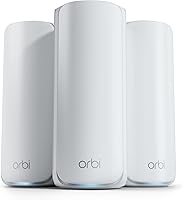
Netgear Orbi 370 (3-pack): Best for dual-band Orbi coverage

- Up to 6,000 sq. ft. coverage
- Dual-band with Enhanced Backhaul
- Up to 70 devices
- Add-on satellite can add up to 2,000 sq. ft.
The Orbi 370 is a dual-band three-unit system with stated coverage up to 6,000 sq. ft. It supports up to 70 devices.
Pros
- Enhanced Backhaul
- Orbi app guides setup
- Can add an Orbi 370 satellite
Cons
- Dual-band system
- Made for use in the US only
The Orbi 370 is a dual-band option with stated coverage up to 6,000 sq. ft. and capacity for up to 70 devices. The three-pack contains a router and two satellites.
It supports internet plans up to 2.5 Gbps and uses Enhanced Backhaul. You can add an Orbi 370 satellite for up to 2,000 sq. ft. more stated coverage, though the actual result depends on the home's layout and materials.
Setup runs through the Orbi app, which also manages guest WiFi and connected devices. NETGEAR includes Advanced Router Protection and automatic firmware updates, with an Armor trial that requires a separate subscription afterward.
This fits buyers who want a three-unit WiFi 7 system at a lower tier than Orbi 770. For the tradeoffs between this kit and eero 7, see Orbi 370 vs eero 7.
Netgear Orbi 360 (3-pack): Best for a 6,000 sq. ft. Orbi setup
- Up to 6,000 sq. ft. coverage
- Dual-band with Enhanced Backhaul
- Up to 70 devices
- Add-on satellite can add up to 2,000 sq. ft.
The Orbi 360 uses a router and two satellites, with stated coverage up to 6,000 sq. ft. and support for up to 70 devices.
Pros
- Enhanced Backhaul
- Orbi app guides setup
- Add-on satellite option
Cons
- Dual-band system
- Made for use in the US only
The Orbi 360 is another dual-band three-unit system with stated coverage up to 6,000 sq. ft. and support for up to 70 devices. It supports plans up to 2.5 Gbps.
Like the Orbi 370, it has Enhanced Backhaul and can add a satellite for up to 2,000 sq. ft. of additional stated coverage. Setup and device management use the Orbi app, and security features include Advanced Router Protection and automatic firmware updates.
The shared headline coverage and device limits make the 360 and 370 look similar on paper. Compare the exact kit and current configuration before buying, since this guide's product details do not guarantee further differences.
Choose the 360 when its configuration fits your needs and you want an expandable Orbi kit. As with other Orbi models here, it is made for use in the US only.
ASUS ZenWiFi BT8 (2-pack): Best for two-node wired backhaul

- Up to 5,900 sq. ft. coverage
- Tri-band WiFi 7 with 6 GHz
- Two 2.5G Ethernet ports
- AiProtection Pro and parental controls
The BT8 two-pack has stated coverage up to 5,900 sq. ft. and two 2.5G Ethernet ports for a wired backhaul option.
Pros
- Two 2.5G Ethernet ports
- Tri-band with 6 GHz
- AiProtection Pro included
Cons
- Two units rather than three
- Coverage varies with home conditions
The ASUS ZenWiFi BT8 is a two-pack with stated coverage up to 5,900 sq. ft. It is tri-band, includes 6 GHz WiFi and supports wireless speeds up to 14 Gbps.
Each unit has two 2.5G Ethernet ports, which gives you a wired backhaul option if Ethernet can reach your node locations. The system also includes AiProtection Pro, parental controls, VPN support and AiMesh compatibility with other ASUS routers.
A two-pack can mean fewer units to position, but it may not suit a layout that needs three separate coverage points. Compare your walls and floor plan with the mesh placement guide before choosing.
Pick the BT8 if the two 2.5G ports and tri-band feature set matter more than having a third unit in the box. Its stated coverage is an estimate for a particular setup, not a guarantee for every home.
Linksys Velop Micro 7: Best for account-free setup

- Three-pack coverage up to 6,600 sq. ft.
- Instant-Pair setup button
- No account or subscription required
- 2.5G auto-sensing Internet/LAN port
The Velop Micro 7 emphasizes setup without an app or personal account. Its three-pack has stated coverage up to 6,600 sq. ft.
Pros
- Instant-Pair button
- No subscription required for stated security features
- 2.5G auto-sensing port
Cons
- Dual-band system
- Coverage claims are up to 2,200 sq. ft. per node
The Linksys Velop Micro 7 stands out for setup that does not require an app, personal information or an account. Linksys says its three-pack covers up to 6,600 sq. ft., or up to 2,200 sq. ft. per node.
It is dual-band, supports speeds up to 5 Gbps and has a 2.5G auto-sensing Internet/LAN port. Linksys also says no subscription is required for its advanced WiFi security and network management features.
The compact nodes may be easier to place in open areas, but the per-node coverage figure is still an estimate. Confirm the kit's setup and port needs against your internet equipment and where you can put each unit.
Choose it if account-free setup and no subscription are priorities. If you're comparing how mesh behaves against a single router, our mesh WiFi vs router guide explains when multiple units can help.
What should you check before choosing a WiFi 7 mesh kit?
Start with the speed of your internet plan, then check the coverage estimate and the number of units. A kit that supports a faster plan than yours may still be useful for wired devices or future service changes, but it can add features you do not need today.
Does WiFi 7 mesh need a WiFi 7 phone or laptop?
No, older WiFi devices can still connect to WiFi 7 mesh systems. The benefit of WiFi 7 features depends on compatible devices, and the speed you see also depends on your plan, device, distance and network conditions.
If only one or two devices support WiFi 7, focus on coverage and stability across the rooms you use. You can read whether you need a WiFi 7 router yet for an upgrade decision.
Should you choose dual-band or tri-band mesh?
Tri-band systems add another WiFi band, while dual-band models use two. The eero Pro 7, Orbi 770, and both ASUS options here are tri-band; the eero 7, Orbi 370, Orbi 360 and Linksys Velop Micro 7 are dual-band.
A tri-band label alone does not tell you how a kit will perform in your layout. Look at supported plan speed, backhaul options, node placement and the wired devices you plan to connect.
Can wired backhaul improve a mesh setup?
Wired backhaul can connect mesh units over Ethernet instead of relying only on a wireless link between them. The ASUS BT8 specifically lists flexible wired backhaul, while the other kits' details here do not state the same option.
If you can run Ethernet to a satellite location, that may make placement more flexible. Read what Ethernet backhaul means before choosing a kit around that setup.
Which WiFi 7 mesh system should you choose?
Choose eero 7 for a balanced three-unit setup and plans up to 2.5 Gbps, Orbi 770 for the largest stated coverage, or eero Pro 7 for plans up to 5 Gbps. Pick the ASUS BT8 if two 2.5G ports and a two-node kit suit your layout.
For a mid-size home, the Orbi 370, Orbi 360 and Linksys Velop Micro 7 each state coverage above 6,000 sq. ft., but they differ in setup, controls and ecosystem. Choose by the features you will use, then check your modem, plan and node locations before ordering.
If you're deciding between Orbi tiers, compare Orbi 370 and Orbi 770 for a closer look at the step up.
Our top 3 picks at a glance
-
1
-
2
-
3
Frequently asked questions
Is WiFi 7 mesh worth it for whole-home coverage?
WiFi 7 mesh can make sense if you have WiFi 7 devices, a fast internet plan, or rooms that need better coverage than one router provides. Older WiFi devices can still connect to these systems.
If your devices and plan are modest, compare WiFi 6 mesh options before paying for features you may not use.
How many WiFi 7 mesh nodes do I need?
A three-unit kit is a practical starting point for many larger homes because it includes one router and two satellites. The right number depends on the home's size, walls, floors and unit placement.
Use our mesh node planning guide to estimate your needs.
Does a WiFi 7 mesh system need wired backhaul?
No. These systems can connect mesh units wirelessly.
Some models also support Ethernet backhaul.
A wired connection can be useful when you can run Ethernet between units or have thick walls that weaken wireless links.
See what Ethernet backhaul means before planning a wired setup.
Will a WiFi 7 mesh system work with my current modem?
Many mesh systems connect to existing internet provider equipment, but the exact setup depends on your modem and provider. The Orbi 770 and Orbi 370 are described as compatible with cable or fiber provider equipment.
Check whether your modem also acts as a router, then follow the system's setup instructions.