Why Does My eero Mesh WiFi Speed Drop Off?
eero mesh WiFi speed drops off when a satellite is too far from the gateway, when a device lands on 2.4 GHz instead of 5 GHz, or when the gateway's port or your internet plan caps the speed. Moving nodes closer and checking which band each device uses fixes most cases.
On this page (9 sections)
- Why does eero mesh WiFi speed drop off in some rooms but not others?
- How do you place eero nodes so speed stays high?
- Why does a device show a slower speed than the eero app reports?
- What part does your internet plan play in eero speed drop off?
- Why does eero mesh speed fall as you add more nodes?
- Can an older eero node slow down a newer mesh?
- When is a speed drop actually normal?
- Which eero setup fits a home that keeps losing speed?
- What should you try first when eero speed drops?
Why does eero mesh WiFi speed drop off? The usual causes are a satellite placed too far from the gateway, a device stuck on 2.4 GHz, a gateway port or internet plan that caps throughput, and too many hops between nodes.
Fix the placement and band first, then look at the plan.
Speed drops on eero mesh are rarely about the router being broken. They come from how the mesh is laid out and what each link can carry.
A short check of the eero app tells you most of what you need.
Why does eero mesh WiFi speed drop off in some rooms but not others?
Speed falls in rooms where the device connects through a distant node or a weak link. eero's TrueMesh software picks the best path it can, but it can only use the links that exist.
Every mesh node repeats the signal. When a node sits far from the gateway, the link between them gets weaker and the device at the far end gets less throughput.
A node near the edge of usable coverage gives a slow, unstable link rather than a fast one.
Walls and floors stack up too. Brick and plaster cost more signal than drywall, and each floor between gateway and node adds loss.
A room that feels close may still be behind two walls from the nearest node.
Check the eero app's device list in the slow room. It shows which node each device connects to and whether the link looks weak.
That reading points you to the fix faster than moving things at random.
How do you place eero nodes so speed stays high?
Place each node where it still gets a strong link to the gateway, not at the far wall of the house. A good spot is roughly halfway between the gateway and the weak area, in open space.
Keep nodes off the floor, out of cabinets and away from metal, mirrors and large appliances. A shelf or a side table at waist height is better than the floor behind a couch.
Don't stack nodes in the same room. Two nodes close together don't help; they can even compete.
Spread them so each one covers a zone the gateway can't reach well.
The maker's guidance on eero is to add a node only when a room actually lacks coverage. If a room already gets a decent signal, an extra node there adds a hop without adding speed.
Why does a device show a slower speed than the eero app reports?
The app measures the link between your eero and the internet, while a device test measures its own wireless link. Those two numbers can differ a lot, and the device number is the one you feel.
A phone or laptop connects on either 2.4 GHz or 5 GHz. The 5 GHz band is faster but has shorter range; 2.4 GHz reaches further but caps lower.
A device at the edge of coverage often drops to 2.4 GHz, so its speed falls even when the gateway link looks fine.
Some older devices only support 2.4 GHz at all. They'll always show a lower number no matter how good the mesh is.
Check the device's own settings for its band and supported standard before blaming the mesh.
Run a speed test while standing next to a node, then again in the slow room. If the near-node number is good and the far-room number is poor, the cause is coverage or band choice, not your plan.
What part does your internet plan play in eero speed drop off?
Your plan sets the ceiling, and the router can only pass on what the plan delivers. eero 7 supports internet plans up to 2.5 Gbps, so a slower plan will read as a slower speed on every device.
Test with a wired device at the gateway first. If a wired test hits your plan's speed and WiFi does not, the drop is wireless.
If the wired test is also low, the plan or the provider is the limit.
The gateway's port matters here. eero 7 has two auto-sensing 2.5 GbE ports, so it can take a plan up to 2.5 Gbps. A modem or switch limited to 1 Gbps will hold the whole network below that.
WiFi speed also runs below the port speed. eero 7 lists wireless speeds up to 1.8 Gbps, so a device test won't match a 2.5 Gbps port even on a clean link. That gap is normal, not a fault.
Why does eero mesh speed fall as you add more nodes?
Each node adds a wireless hop, and every hop costs some throughput. A three-node system with two hops between gateway and far room will be slower than a single node close to that room.
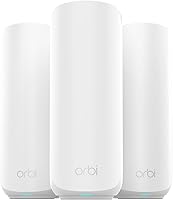
This is the main reason a bigger pack doesn't always mean faster WiFi. Three eero 7 units cover up to 6,000 sq. ft., which suits a large home.
In a small home, that same pack puts nodes too close together and adds hops for no gain.
Match the pack to the house. A single eero 7 covers up to 2,000 sq. ft.
If your home is near that size, one unit at the center often beats a multi-pack for speed in most rooms.
If you already own a pack and rooms are slow, try unplugging one node and see whether nearby speeds improve. Fewer, well-placed nodes usually beat more nodes packed together.
Can an older eero node slow down a newer mesh?
Yes. A mixed system runs at the pace its oldest link allows on each path.
An older node in the chain can hold back devices that connect through it.
If you add an eero 6 extender to a newer eero 7 network, that extender works on Wi-Fi 6. It adds up to 1,500 sq. ft. of Wi-Fi 6 coverage and extends reach well.
Devices on that link get Wi-Fi 6 speeds, not Wi-Fi 7 speeds.
That's fine if the extender fills a dead spot. It's a poor choice if you put it in a room that already had good coverage.
Place extenders only where coverage really ends.
Keep the gateway on the newest model. The gateway handles the internet link for the whole mesh, so putting the older unit there caps everything behind it.
When is a speed drop actually normal?
Some drop is built into WiFi and isn't a fault. Wireless speeds run below the wired port speed, and distance, walls and device age all take a cut.
eero 7's 1.8 Gbps wireless figure is the best case. A phone a room away through one wall will show less, and that's expected.
Real-world wireless speed is always below the headline number.
Device limits matter too. A laptop with an older WiFi chip can't use the faster bands or the newer features.
The mesh can't push past what the device can receive.
Congestion is another normal cause. Neighboring networks on the same channel add interference, especially on 2.4 GHz. eero's TrueChannel feature adjusts channels to reduce this, but a crowded area still feels it.
A single slow test isn't proof of a problem. Test at different times and in different rooms before deciding something is wrong.
Which eero setup fits a home that keeps losing speed?
Start with one eero 7 if your home is up to about 2,000 sq. ft., and add nodes only where coverage ends. That keeps hops low and speed high in most rooms.
The single eero 7 is the most affordable Wi-Fi 7 router in the lineup. It supports 120+ devices and covers up to 2,000 sq. ft., which suits most apartments and small houses.
Put it centrally and test before buying anything else.
If you already have an eero system and one room is weak, an add-on extender is the cheaper path. Place it between the gateway and the weak room, not in the weak room itself.
For a bigger jump, compare the Orbi 370 vs eero 7 to see how the two Wi-Fi 7 mesh kits differ before you switch brands.
Homes with a yard or outbuilding to cover can look at our eero Outdoor 7 review for an outdoor node. If you're weighing an older model, the eero 6+ review and our eero 6 mesh wifi system review cover what each generation adds.
What should you try first when eero speed drops?
Move the slow-room node closer to the gateway, then check the device's band and the gateway's wired speed. Those three checks fix most eero mesh WiFi speed drop off cases without buying anything.
If placement and band don't help, run a wired test at the gateway. A low wired number means the plan or modem is the limit.
A good wired number with slow WiFi points back to coverage.
A restart is worth one try, but don't rely on it. If speed returns and falls again, the cause is the layout.
Fewer, better-placed nodes beat more nodes every time.
Pick one eero 7 for a home near 2,000 sq. ft., the 3-pack for a large house, or the add-on extender to fill one weak room. Then test again in the room that was slow.
Frequently asked questions
Does adding more eero nodes always raise speed?
No. Each extra hop adds a wireless link between nodes, so a distant node can halve the speed a device gets.
Add a node only where coverage actually ends, and keep the count reasonable for your square footage.
Why is WiFi slow right next to an eero node?
A close node can still be slow if that node sits far from the gateway or links over 2.4 GHz. TrueMesh picks the path, but it can only work with the links available, so placement and node count matter more than distance from the node itself.
Can my internet plan cause the speed drop?
Yes. If your plan is slower than what the router can deliver, the plan is the ceiling. eero 7 supports internet plans up to 2.5 Gbps, so a plan well below that will show as a lower speed on every device.
Should I restart eero when speed drops?
A restart clears a stuck channel or a hung update and is a fair first step. If the speed returns and then falls again, the cause is placement or band choice, not the reboot.
Do walls and floors really cut mesh speed?
They do. Brick, plaster and metal reduce signal more than drywall, and each floor between gateway and node costs throughput.
A node placed through two walls sends a weaker link back to the gateway.