eero 6+ Review: Still a Smart Mesh Pick? (October 2026)
The eero 6+ remains a smart mesh pick for homes that want WiFi 6 and gigabit plan support without moving to WiFi 7. Choose the eero 7 if you want newer WiFi features or support for internet plans up to 2.5 Gbps.
On this page (8 sections)
- What does the eero 6+ offer?
- Is the eero 6+ enough for your internet plan?
- How much coverage does the three-pack provide?
- Is the built-in smart home hub useful?
- How does eero 6+ compare with WiFi 7 alternatives?
- When should you choose a different system?
- Does the eero 6+ need a subscription?
- Is the eero 6+ still a smart mesh pick?
The eero 6+ remains a smart mesh pick for homes that want WiFi 6 and gigabit plan support without moving to WiFi 7. Its three-pack has stated coverage up to 4,500 sq. ft., supports more than 75 devices and includes a hub for compatible Thread and Zigbee devices.
Its main limitation is generational: the eero 6+ is WiFi 6, while newer systems offer WiFi 7. If your internet plan tops out at a gigabit and your current devices meet your needs, that may not matter; if you want more plan headroom, compare the eero 7 and eero 6+.
What does the eero 6+ offer?
The eero 6+ is a three-unit WiFi 6 mesh system with gigabit plan support. It supports the 160 MHz radio channel and includes a built-in smart home hub for compatible Thread and Zigbee devices.
eero 6+ (3-pack): Best for gigabit WiFi 6 coverage

- WiFi speeds up to a gigabit
- Coverage up to 4,500 sq. ft.
- Supports 75+ devices
- Built-in Thread and Zigbee smart home hub
A three-unit WiFi 6 system for households that want gigabit plan support and a built-in hub for compatible Thread and Zigbee devices. The app guides setup and provides remote network management.
Pros
- Supports internet plans up to a gigabit
- 160 MHz channel support
- Built-in Thread and Zigbee hub for compatible devices
- Backward-compatible with previous-generation eero devices
Cons
- Does not offer WiFi 7
- Security and extra network management features require a separate subscription
eero’s TrueMesh software is designed to route traffic to reduce drop-offs and dead spots. The app guides setup and lets you manage the network remotely.
Its stated coverage and device capacity are useful starting points, not a guarantee for every house. Walls, floor plan, interference and where you place each unit affect the signal you get.
What the eero 6+ does well
The 6+ fits a household that wants several mesh points, a WiFi 6 system and support for plans up to a gigabit. Its 160 MHz channel support can give compatible devices access to additional WiFi bandwidth.
The built-in hub can also simplify a smart home that uses compatible Thread or Zigbee devices with Alexa. It replaces the need to buy separate hubs for those devices, though compatibility still depends on the individual device.
eero says automatic updates help keep the network safe and secure. Extra security and network management features are available through a separate subscription.
Where the eero 6+ falls short
The 6+ does not offer WiFi 7 or plan support above a gigabit. That makes it less suited to a household that wants newer WiFi features or expects to use an internet plan faster than its stated limit.
The three-pack also means placing and powering three units. A smaller kit may fit a compact home better, while an awkward layout can need careful placement even with several nodes.
Is the eero 6+ enough for your internet plan?
The eero 6+ is a reasonable match when your internet plan is up to a gigabit. If your plan is faster, or you expect to upgrade soon, compare systems that support higher plan speeds.
An internet plan’s advertised speed and your WiFi speed are not always the same. The result at a device depends on the plan, the device’s wireless capabilities, network conditions and placement.
The eero 7 vs eero 6+ comparison lays out the practical step up. The eero 7 supports plans up to 2.5 Gbps and includes WiFi 7 features, while the 6+ offers a three-pack with stated coverage up to 4,500 sq. ft.
If you’re still deciding whether a newer standard matters for your home, read whether you need a WiFi 7 router. A newer generation may be useful, but your current plan and client devices determine whether you can take advantage of it.
How much coverage does the three-pack provide?
eero states that the three-pack covers up to 4,500 sq. ft. That figure can help you compare kits, but it does not predict signal strength in every room.
A long layout, thick walls, multiple floors or a detached room can make coverage harder than the home’s total area suggests. Think about where the signal drops, how far apart the units will sit and whether they can connect well from those spots.
For placement, keep the main eero near your modem and put additional units between it and the weak-signal areas. The guide to placing mesh WiFi units covers how to choose spots and avoid hiding a node behind dense obstacles.
If you aren’t sure how many units your floor plan needs, use the mesh node planning guide. A three-pack can be more than you need in a small open home, but a difficult layout may need attention beyond simply adding units.
Is the built-in smart home hub useful?
The built-in hub is useful if you have compatible Thread or Zigbee devices that connect with Alexa. It can remove the need for separate hubs for those devices.
Check compatibility before choosing the eero 6+ for this feature. A device that uses another smart home standard may still need its own bridge or hub.
The smart home hub does not change the system’s WiFi generation or stated plan limit. Consider it an added convenience, then decide whether the mesh features suit your internet plan and home.
How does eero 6+ compare with WiFi 7 alternatives?
The eero 6+ makes sense when gigabit support and a three-unit kit match your needs. WiFi 7 alternatives make more sense when you want newer wireless features or higher plan support.
| System | WiFi generation | Stated plan support | Stated coverage | Unit count |
|---|---|---|---|---|
| eero 6+ | WiFi 6 | Up to a gigabit | Up to 4,500 sq. ft. | 3 |
| eero 7 | WiFi 7 | Up to 2.5 Gbps | Up to 4,000 sq. ft. | 2 |
| Netgear Orbi 370 | WiFi 7 | Up to 2.5 Gbps | Up to 4,000 sq. ft. | 2 |
| Google Nest Wifi Pro | WiFi 6E | Not stated here | Up to 6,600 sq. ft. | 3 |
Coverage claims use different unit counts and may depend on placement, building materials and other conditions. Treat them as a comparison point rather than a direct promise of room-by-room results.
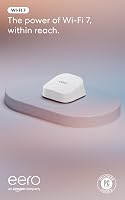
eero 7 (2-pack): Best for stepping up to WiFi 7

- WiFi 7
- Plans up to 2.5 Gbps
- Coverage up to 4,000 sq. ft.
- Supports 120+ devices
A newer eero option for homes moving to WiFi 7 or using an internet plan above a gigabit. It has two auto-sensing 2.5 GbE ports on each router.
Pros
- WiFi 7 with multi-link operation
- Supports plans up to 2.5 Gbps
- Backward-compatible with previous eero generations
- Supports 120+ devices across two units
Cons
- Two-unit kit has lower stated coverage than the eero 6+ three-pack
- Some security and management features require an optional subscription
The eero 7 is the closest alternative if you want to stay with eero and move to WiFi 7. Its two-pack supports plans up to 2.5 Gbps, has two auto-sensing 2.5 GbE ports per unit and supports 120+ devices, with stated coverage up to 4,000 sq. ft.
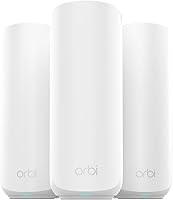
Netgear Orbi 370 (2-pack): Best for a WiFi 7 alternative

- WiFi 7
- Up to 4,000 sq. ft. coverage
- Supports up to 70 devices
- Enhanced Backhaul
A two-piece WiFi 7 mesh alternative with a router and satellite. NETGEAR says it works with cable or fiber provider equipment and supports plans up to 2.5 Gbps.
Pros
- WiFi 7 with stated speeds up to 5 Gbps
- Enhanced Backhaul
- App-guided setup
- Can add a satellite for up to 2,000 sq. ft. of additional coverage
Cons
- Made for use in the US only
- NETGEAR Armor requires a separate subscription after its 30-day trial
The Orbi 370 offers another WiFi 7 route in a router-and-satellite kit. NETGEAR says it supports plans up to 2.5 Gbps and up to 70 devices, with Enhanced Backhaul; it is made for use in the US only.
Google Nest Wifi Pro (3-pack): Best for a three-unit WiFi 6E setup

- WiFi 6E
- Three bands: 2.4, 5 and 6 GHz
- Up to 6,600 sq. ft. stated coverage
- Built-in network diagnostics
A three-router WiFi 6E system for homes that want a 6 GHz band and device management through the Google Home app. It is not compatible with earlier Google Wifi or Nest Wifi generations.
Pros
- Three bands, including 6 GHz
- Can monitor and diagnose some network issues
- Guest network and device controls
Cons
- Not compatible with previous Google Wifi or Nest Wifi generations
- A WiFi 6E client device is needed to use the 6 GHz band
The Nest Wifi Pro is a three-router WiFi 6E option with a 6 GHz band and stated coverage up to 6,600 sq. ft. It is not compatible with previous Google Wifi or Nest Wifi generations, and only WiFi 6E client devices can directly use the 6 GHz band.
When should you choose a different system?
Choose another system if your plan, layout or device needs point beyond the eero 6+. The right comparison depends on what you want to improve.
- Pick eero 7 if you want WiFi 7 within the eero family or need support for a plan above a gigabit.
- Pick Orbi 370 if you want a WiFi 7 router-and-satellite kit and its US-only use works for you.
- Consider Nest Wifi Pro if you want three WiFi 6E routers and have compatible devices for the 6 GHz band.
- Keep the eero 6+ in the running if its WiFi 6 features, unit count and gigabit support fit your household.
For a wider brand comparison, see whether eero is a good router for your home. If you’re weighing Orbi’s two-unit WiFi 7 system against eero’s, the Orbi 370 vs eero 7 comparison covers that decision.
Does the eero 6+ need a subscription?
No subscription is needed for the core mesh system, but some security and network management features are subscription-based. eero says those additional features are available through a separate subscription.
Decide whether you need those extras before treating them as part of your budget or setup. The app-guided setup and remote management are described as standard eero 6+ features.
Is the eero 6+ still a smart mesh pick?
The eero 6+ remains a sensible choice if you want WiFi 6, a three-unit kit and support for plans up to a gigabit. Its built-in Thread and Zigbee hub is a useful extra for compatible Alexa smart home devices.
Choose eero 7 if WiFi 7 or support for plans up to 2.5 Gbps matters more than the 6+’s stated three-pack coverage. Compare your plan, device compatibility and floor layout, then use the WiFi 7 router guide to decide whether the upgrade solves a real need.
Frequently asked questions
Is the eero 6+ still worth considering?
The eero 6+ is worth considering if you want WiFi 6, support for plans up to a gigabit and a built-in hub for compatible Thread and Zigbee devices. Its three-unit kit has stated coverage up to 4,500 sq. ft.
Choose a WiFi 7 system if newer wireless features or faster plan support matter more.
Does the eero 6+ support gigabit internet?
Yes. eero says the 6+ supports internet plans and WiFi speeds up to a gigabit. Your actual connection also depends on your service plan, network conditions and devices, so the system does not make a slower internet plan faster.
Can eero 6+ connect smart home devices?
The eero 6+ has a built-in smart home hub for compatible Thread and Zigbee devices, which can connect with Alexa. Check that each device supports those standards and fits your smart home setup before relying on the router as its hub.
Should I get eero 6+ or eero 7?
Choose eero 6+ if WiFi 6 and gigabit plan support fit your needs, or if its three-unit coverage claim better matches your home. Choose eero 7 if you want WiFi 7, multi-link operation or support for plans up to 2.5 Gbps.
Compare unit count and placement as well as the headline coverage figures.