Can You Mix Mesh WiFi Systems?
No, you can't mix mesh WiFi systems from different brands and expect one mesh. Nodes only form a mesh with units from the same brand and platform, so a TP-Link Deco node won't join an eero network. You can run two separate networks side by side, or add matching nodes to the system you already own.
On this page (9 sections)
- What does mixing mesh WiFi systems actually mean?
- Why can't different mesh brands join the same network?
- Can you run two mesh WiFi systems in one home?
- When is mixing mesh WiFi brands a good idea?
- Why matching nodes beat mixing for most homes
- What about mixing Deco models with each other?
- How do you add a second brand without breaking the first network?
- Which mesh system should you buy if you want to mix?
- So can you mix mesh WiFi systems in the end?
No, you can't mix mesh WiFi systems from different brands and expect one mesh. A mesh only forms between nodes from the same brand and platform, so a TP-Link Deco node won't join an eero network.
You can still run two systems side by side as separate networks, or add matching nodes to the system you already own.
That answer matters more than it sounds, because "mesh" describes how the nodes talk to each other, not just what each node does alone. Each brand builds its own handoff and management layer, and the two don't negotiate with each other.
So the real question is what mixing gets you, and in most homes the honest answer is extra complexity for little gain.
What does mixing mesh WiFi systems actually mean?
Mixing means running nodes from two different brands in the same home, and the result is two networks, not one. Each brand's app manages only its own units, and devices join whichever network name you gave them.
Some people mean something looser: adding a single node from another brand to an existing mesh. That doesn't work as mesh.
The new unit runs as its own router or access point, separate from the mesh you already have.
The practical split is simple. Mixing brands as separate networks is possible.
Mixing brands into one mesh is not. The rest of this guide covers when each choice makes sense and what to buy instead.
Why can't different mesh brands join the same network?
Each brand uses its own mesh protocol and app, so there is no shared standard for joining nodes. TP-Link's Deco units mesh with each other through the Deco app. eero units mesh through the eero app and TrueMesh software.
Neither system accepts the other's node as part of its mesh.
The router still speaks standard WiFi to your phone and laptop. What breaks is the back-and-forth between nodes: channel planning, roaming handoff and firmware updates all run inside one brand's system.
A node from another brand can't take part in that conversation.
That's also why a mesh system replaces your router rather than sitting behind a third-party one in most setups. If you want the background on that, our guide on whether mesh WiFi replaces your router covers the wiring and double-router question.
Can you run two mesh WiFi systems in one home?
Yes, two mesh systems can share a home as long as each runs its own network name. They don't merge, don't hand devices between each other, and each needs its own app.
This setup suits separate spaces. A garage, a detached office or a guest wing can run its own mesh without dragging cable back to the main router.
Devices there stay on that network unless you rename and reconnect them.
In one open-plan home the problems outweigh the benefit. Two systems competing for 2.4 GHz and 5 GHz channels can slow each other, and your phone may cling to the weaker network.
You also end up with two bills of setup and two apps to manage.
When is mixing mesh WiFi brands a good idea?
Mixing makes sense when the second system serves a separate area or a separate job. The usual cases are a garage or garden office, a guest house, or a rented space where you can't change the main network.
It also helps when you already own one system and inherit another. Running the older one as a separate network for smart-home gear keeps those devices off your main mesh.
What mixing doesn't solve is a dead zone in the middle of your house. A second system there means two overlapping networks, more channel noise and more places for roaming to fail.
Adding a matching node to your existing mesh is the cleaner fix.
Why matching nodes beat mixing for most homes
Matching nodes keep one network name and one handoff between rooms, which is the whole point of mesh. They also share firmware updates and one app, so the system stays simple as it grows.
Coverage and device count scale with each added unit. A three-pack of the TP-Link Deco X55 AX3000 covers up to 6500 sq ft and connects up to 150 devices.
Adding a matching Deco node extends that without a second network or a second app.
The same logic applies if you own eero. eero 7 is backward compatible with all previous generations of eero, so older eero units join its network rather than sitting beside it.
If your current system already covers the house, buying another brand's kit is money spent on a second network. Our guide to what WiFi mesh system you need helps you size the right one before you add anything.
Who should stay within one brand?
Stay within one brand if your home is one building with rooms that need handoff. A phone that moves from kitchen to bedroom should switch nodes without dropping a call or a video.
That's the case for most households. One app, one network name, one place to update firmware.
When something goes wrong, support has one system to look at instead of two.
Mixing only wins when the second network is genuinely separate. If the spaces connect, matching nodes are the simpler and faster answer.
What about mixing Deco models with each other?
TP-Link says Deco products integrate to create a mesh network and are backward compatible with all WiFi generations. So a newer Deco unit can join an older Deco network, though the mixed network runs to the older model's limits where the two differ.
That means you can start with a WiFi 6 Deco set and add a WiFi 7 unit later. The new unit brings its own radio and ports, while the older nodes keep their own speed ceiling on the links they handle.
The Deco 7 Pro Tri-Band WiFi 7 covers up to 7600 sq ft and 200+ devices, with four 2.5G ports and a 10G WAN/LAN port per unit. It's the stronger base if you plan to grow the network over time.
Check the app's list of compatible Deco models before you buy an add-on. Mixing within one brand is supported, but the older hardware still sets the pace on its own links.
How do you add a second brand without breaking the first network?
Run the second system in access point mode and give it a different network name. That keeps one router doing the routing and avoids a double NAT mess.
Start with the main system. Leave its network name and password as they are.
Then set up the second kit and rename its network so devices don't auto-join the wrong one.
If the second kit sits in a separate building, connect it to the main router by Ethernet if you can. Wired links between the two systems are steadier than WiFi links across a garden.
Keep the two networks' channels apart where the apps allow it. That reduces the overlap that makes both systems feel slower than they should.
For the wiring side, our guide on what Ethernet backhaul is explains why a cable between nodes beats a wireless hop.
Which mesh system should you buy if you want to mix?
Buy one brand's system and grow within it rather than mixing brands. For most homes, the TP-Link Deco X55 AX3000 WiFi 6 Mesh is the practical base: three units, 6500 sq ft, 150 devices and 3 Gigabit ports per unit for wired backhaul.
If you want Wi-Fi 7 and a 10G port for future internet plans, the Deco 7 Pro Tri-Band WiFi 7 is the stronger base. Its 7600 sq ft coverage and 200+ device capacity suit larger homes and heavier smart-home loads.
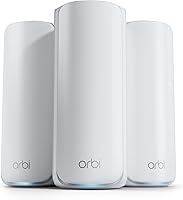
If you already own eero gear, the eero 7 (3-pack) is the natural upgrade. It covers up to 6000 sq ft and 120+ devices and is backward compatible with all previous eero generations.
For fiber connections in particular, match the system to your plan's speed. Our roundup of the best mesh WiFi system for fiber covers which kits make the most of a fast line.
So can you mix mesh WiFi systems in the end?
You can mix brands in one home only as separate networks, and you shouldn't expect them to form one mesh. For a single connected home, stay within one brand and add matching nodes as you need them.
Pick the Deco X55 if you want a straightforward WiFi 6 three-pack with plenty of wired ports. Pick the Deco 7 Pro Tri-Band if Wi-Fi 7 speed and a 10G port matter more than budget.
Pick eero 7 if you already own eero units and want to keep them in the mesh.
The decision rule is simple. If the second system serves a separate building or a separate job, mixing is fine.
If it's meant to cover the same house, buy matching nodes and keep one network.
Frequently asked questions
Can I add a different brand's node to my mesh network?
No. Mesh nodes use each brand's own mesh protocol and management app, so a node from another brand won't join your network.
Keep adding units from the same product line, or replace the whole system.
Can I use two mesh systems in one house?
Yes, but run them as two separate networks with different WiFi names. They won't share one mesh or hand devices between each other, and they may compete for channels, so this suits a garage, office or guest area rather than one open-plan home.
Do all TP-Link Deco models work together?
TP-Link says Deco products integrate to create a mesh network and are backward compatible with all WiFi generations. That means a newer Deco unit can join an older Deco network, though the mix runs at the older model's speeds and features where they differ.
Can I mix eero 7 with older eero routers?
Yes. eero 7 is backward compatible with all previous generations of eero, so older eero units can join an eero 7 network. The whole network runs to the limits of the older hardware on the links those units handle.
Does mixing mesh brands void the warranty?
It won't void a warranty on its own, but support may decline to help with a network that combines brands. Each maker supports its own app and nodes, and diagnosing a mixed network falls outside that.