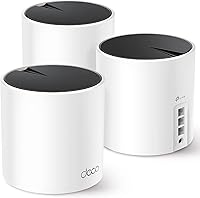
7 Best WiFi Mesh System for Metal Building (November 2026)
The best mesh wifi for a metal building include the TP-Link Deco S4 Mesh AC1900 WiFi System for most metal buildings, the TP-Link Deco S4 Whole Home Mesh WiFi for smaller steel cabins and shops, and the TP-Link Deco 7 Dual-Band BE5000 WiFi 7 (best wifi 7 value for a large shop).
On this page (7 sections)
- The best WiFi mesh systems for a metal building
- How these WiFi mesh systems compare for metal buildings
- Do you need WiFi 7 for a metal building?
- How to plan a mesh network around steel walls
- Which mesh system fits your building size?
- Does a mesh system replace your router in a metal building?
- Which WiFi mesh system do you need for a metal building?
The best wifi mesh system for metal building coverage is the TP-Link Deco S4 Mesh AC1900 3-pack, because three units cover up to 5,500 sq ft and each one has two Gigabit ports for a wired backhaul between rooms. Steel walls cut signal more than wood or drywall, so a mesh that lets you run cable between nodes wins over raw antenna power.
Our picks at a glance
-
1
 Best for most metal buildings
TP-Link Deco S4 Mesh AC1900 WiFi System
9.7/10 our score
See it on Amazon -
2
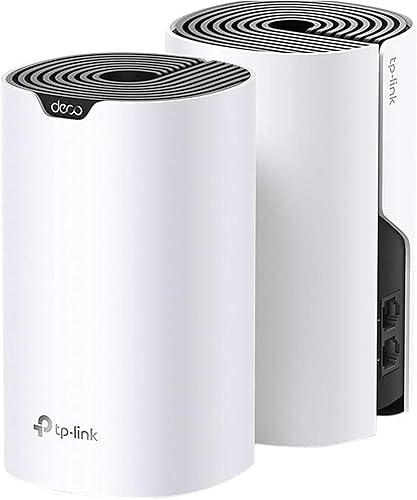 Best for smaller steel cabins and shops
TP-Link Deco S4 Whole Home Mesh WiFi
9.6/10 our score
See it on Amazon -
3
 Best WiFi 7 value for a large shop
TP-Link Deco 7 Dual-Band BE5000 WiFi 7
9.5/10 our score
See it on Amazon
- 4
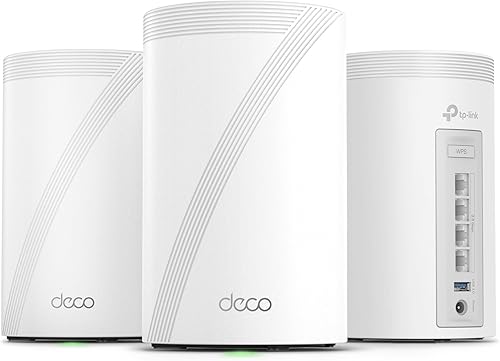 Check it
TP-Link Deco 7 Pro Tri-Band WiFi 7
Best for heavy device loads - 5
 Best for simple app setupCheck it
- 6
 Best for WiFi 7 with enhanced backhaulCheck it
- 7
 Best for very large steel structuresCheck it
A metal building gives WiFi a hard job. Corrugated steel and steel framing reflect and block radio waves, so a single router that covers a whole house may leave the far end of a shop or barn with a weak signal.
The fix is not a bigger antenna. It is more access points placed close enough to the devices, linked by cable where the walls are thickest.
Every system here can do that, and the differences come down to coverage, port speed and how many devices each one handles.
The best WiFi mesh systems for a metal building
The Deco S4 3-pack is the pick for most steel structures, and the rest of the list covers bigger footprints, faster WiFi 7 links and simpler setup. Choose by floor area first, then by the port speed you need for a wired run.
TP-Link Deco S4 Mesh AC1900 WiFi System: Best for most metal buildings
- Three units cover up to 5,500 sq ft
- Six Gigabit Ethernet ports total
- Supports wired Ethernet backhaul
- AC1900 dual-band speeds
Three Deco units cover a large metal shop or home, and each one carries two Gigabit ports so you can run cable between nodes instead of pushing signal through steel.
Pros
- Coverage listed at up to 5,500 sq ft
- Six Gigabit ports across the 3-pack
- Wired Ethernet backhaul supported
Cons
- WiFi 5 only
- No 6 GHz band
The three-unit Deco S4 is the strongest all-round pick for a metal building. TP-Link lists coverage at up to 5,500 sq ft, which suits a large shop, a converted barn or a steel-frame home with several rooms.
Each unit has two Gigabit Ethernet ports, six in total across the pack. That matters in steel: run a cable from the unit near the modem to a unit at the far end, and the second node gets its data over wire instead of fighting through a metal wall.
Any unit can act as the router, and the pack supports wired Ethernet backhaul. Speeds are AC1900 dual-band, enough for streaming, video calls and smart devices in most shops.
There is no 6 GHz band, so this is a WiFi 5 system rather than a future-proof one.
It connects up to 100 devices and includes parental controls. The app handles setup and Alexa can turn guest WiFi on or off.
For a metal building that needs solid coverage without paying for WiFi 7, this is the one to buy first.
TP-Link Deco S4 Whole Home Mesh WiFi: Best for smaller steel cabins and shops
- Two units cover up to 3,800 sq ft
- Four Gigabit Ethernet ports total
- Supports wired Ethernet backhaul
- Connectivity for up to 75 devices
The two-unit Deco S4 covers a smaller metal building without the extra node you would not need, and its four Gigabit ports still allow a wired run between both units.
Pros
- Lower hardware count for compact buildings
- Wired backhaul on both units
- Router or access point mode
Cons
- Less coverage than the 3-pack
- WiFi 5 only
The two-unit Deco S4 fits a smaller steel cabin or a workshop where three nodes would be one too many. TP-Link lists coverage at up to 3,800 sq ft for the pair, so measure your floor before choosing between this and the 3-pack.
It carries the same dual-band AC1900 speeds and the same wired backhaul support as the larger pack. You get four Gigabit ports in total, which is still enough to cable the two units together across a metal partition.
The smaller device count is the main difference: this pack handles up to 75 devices instead of 100. For a single-room shop with a few cameras and staff phones, that is not a limit you will feel.
TP-Link lets you run this as a router or as an access point, so it can slot into a network that already has a router. If your building is under about 3,500 sq ft with open sightlines, this pair covers it and saves you a node.
TP-Link Deco 7 Dual-Band BE5000 WiFi 7: Best WiFi 7 value for a large shop
- Three units cover up to 6,600 sq ft
- WiFi 7 BE5000 dual-band
- Two 2.5G ports per unit
- Supports up to 150 devices
WiFi 7 speeds and 2.5G ports make this the value pick when a metal building needs more bandwidth than WiFi 5 can carry, and three units cover up to 6,600 sq ft.
Pros
- WiFi 7 with Multi-Link Operation
- 2.5G ports for wired backhaul
- Coverage listed at up to 6,600 sq ft
Cons
- Dual-band only, so no 6 GHz channel
- Backhaul needs at least two units
The Deco 7 BE5000 is the WiFi 7 value pick. Three units cover up to 6,600 sq ft and support more than 150 devices, which is more headroom than the S4 packs give you.
Its real advantage in a metal building is the wiring. Each unit has two 2.5G WAN/LAN ports, so a cabled backhaul between nodes moves data far faster than a Gigabit link.
TP-Link says WiFi 7 and 2.5G Ethernet work together to balance traffic between units.
Speeds reach up to 4324 Mbps on the 5 GHz band and 688 Mbps on 2.4 GHz. That is dual-band WiFi 7, so there is no 6 GHz channel.
For most metal buildings the 5 GHz band does the heavy lifting anyway.
Setup runs through the Deco app, and the system supports VPN client and server use plus TP-Link HomeShield security features. It works with any internet provider and needs a separate modem.
Pick it when you want WiFi 7 and faster ports without the tri-band price. Skip it if a 6 GHz band matters to you or your building is already covered well by WiFi 5.
TP-Link Deco 7 Pro Tri-Band WiFi 7: Best for heavy device loads
- Three units cover up to 7,600 sq ft
- Tri-band WiFi 7 BE10000
- 10G WAN/LAN port
- Supports over 200 devices
A tri-band WiFi 7 system that covers up to 7,600 sq ft and connects over 200 devices, built for a metal building with cameras, machinery and staff devices all online at once.
Pros
- Tri-band adds a 6 GHz channel
- 10G WAN/LAN port
- Coverage listed at up to 7,600 sq ft
Cons
- Highest hardware cost here
- More capacity than many small shops need
The Deco 7 Pro is the pick for a metal building packed with devices. Three units cover up to 7,600 sq ft and connect over 200 devices, so cameras, sensors, machinery and staff laptops can all stay online together.
It is tri-band WiFi 7 with a 6 GHz channel, and its port lineup includes four 2.5G WAN/LAN ports plus a USB 3.0 port. The 10G WAN/LAN port leaves room for a multi-gig internet plan as it reaches your building.
TP-Link lists speeds up to 5188 Mbps on 6 GHz, 4324 Mbps on 5 GHz and 574 Mbps on 2.4 GHz. AI-driven roaming moves devices between units as people walk the floor.
The trade-off is cost and complexity. A small workshop will not use the 6 GHz band or the device headroom.
But for a busy commercial space or a large steel home with heavy streaming and smart devices, this system has the capacity to match.
It supports VPN client and server use and HomeShield security, and it works with any internet provider. Choose it when device count and port speed are your real constraints.
eero 6+ (3-pack): Best for simple app setup
- Three units cover up to 4,500 sq ft
- Supports internet plans up to a Gigabit
- Connects 75+ devices
- Built-in smart home hub
eero 6+ gives a metal building a guided app setup and WiFi 6 bandwidth across 4,500 sq ft, with a built-in hub for Thread and Zigbee smart devices.
Pros
- Setup guided in the eero app
- 160 MHz channel support
- Built-in Thread and Zigbee hub
Cons
- Coverage below the larger TP-Link picks
- Some security features need a subscription
eero 6+ is the easiest system here to set up. The eero app walks you through installation and lets you manage the network from anywhere, which helps if you are wiring a metal building yourself.
Three units cover up to 4,500 sq ft and support internet plans up to a Gigabit. eero says the 160 MHz channel adds bandwidth so the whole family can work, stream and video chat at once. In a shop, that bandwidth covers several devices sharing one connection.
TrueMesh routes traffic between units to reduce drop-offs. The built-in smart home hub connects Thread and Zigbee devices with Alexa, so you can skip a separate hub for sensors and locks.
Coverage is the limit. At 4,500 sq ft it sits below the larger TP-Link and Orbi picks, so a big steel structure needs more nodes or a different system.
Online security and extra network features come with a separate subscription.
Choose eero 6+ for a compact metal building where simple setup and smart home support matter more than raw coverage. Skip it if your floor area runs past about 4,000 sq ft.
Netgear Orbi 370 (3-pack): Best for WiFi 7 with enhanced backhaul
- Router plus two satellites cover up to 6,000 sq ft
- WiFi 7 speeds up to 5 Gbps
- Enhanced Backhaul
- Supports up to 70 devices
Orbi's router-and-satellite design with Enhanced Backhaul keeps the link between units prioritized, which suits a metal building where signal has to travel between rooms.
Pros
- Enhanced Backhaul for satellite traffic
- Works with existing modem
- Expandable with add-on satellites
Cons
- 70-device limit is lower than rival WiFi 7 picks
- Sold for US use only
The Orbi 370 pairs a router with two satellites and covers up to 6,000 sq ft. Its Enhanced Backhaul prioritizes the link between the router and satellites, which is exactly the weak point in a metal building with walls between rooms.
WiFi 7 speeds reach up to 5 Gbps on dual-band radios. NETGEAR says it handles up to 70 devices, lower than the TP-Link WiFi 7 picks, so count your cameras and smart devices before choosing it.
Setup runs through the Orbi app, and the system works with cable or fiber provider equipment and plans up to 2.5 Gbps. A 2.5G port is included for wired connections.
You can add a satellite later for up to 2,000 sq ft more coverage.
Advanced Router Protection and automatic firmware updates are on by default. NETGEAR Armor comes as a 30-day trial and needs a subscription after that.
Pick Orbi 370 when backhaul quality between nodes is your main concern and your device count stays modest. It is sold for US use only, so check that before you buy.
NETGEAR Orbi 970 Series: Best for very large steel structures
- Router plus two satellites cover up to 10,000 sq ft
- Quad-band WiFi 7 up to 27 Gbps
- 10 Gig internet port
- Supports up to 200 devices
The Orbi 970 covers up to 10,000 sq ft with a dedicated backhaul band and 10G ports, for warehouses and barns where one mesh has to reach across the whole footprint.
Pros
- Coverage listed at up to 10,000 sq ft
- Dedicated backhaul on its own band
- 10G internet and LAN ports
Cons
- Premium price tier
- Much more coverage than most buildings need
The Orbi 970 is built for very large steel structures. A router and two satellites cover up to 10,000 sq ft and support up to 200 devices, which suits a warehouse, a barn or a multi-building site on one network.
Its quad-band WiFi 7 design uses a dedicated backhaul band, so satellite traffic gets its own lane instead of sharing with your devices. NETGEAR lists speeds up to 27 Gbps, and the system includes a 10 Gig internet port plus 10 Gig and 2.5G LAN ports for wired gear.
That port lineup matters in a metal building: a 10G run between the router and a satellite is far more reliable than a wireless hop through steel. It works with cable or fiber providers and plans up to 10 Gbps.
The obvious trade-off is price tier and size. Most homes and small shops will never use 10,000 sq ft of coverage or a 10G port.
NETGEAR Armor is a 30-day trial with a subscription after, and the system is sold for US use only.
Choose it when your building's floor area is genuinely huge or you run a business from it. For anything smaller, the Deco S4 or Deco 7 picks deliver what you need for less.
How these WiFi mesh systems compare for metal buildings
Every system here can form one network with a single name, but they differ in coverage, port speed and device limits. That table is where a metal building buyer should start.
| Product | Best for | Coverage | Band class | Ports | Our score |
|---|---|---|---|---|---|
| TP-Link Deco S4 Mesh AC1900 WiFi System | most metal buildings | Up to 5,500 sq ft | Dual-Band | 2 Gigabit per unit | 9.7 |
| TP-Link Deco S4 Whole Home Mesh WiFi | smaller steel cabins and shops | Up to 3,800 sq ft | Dual-Band | 2 Gigabit per unit | 9.6 |
| TP-Link Deco 7 Dual-Band BE5000 WiFi 7 | WiFi 7 value for a large shop | Up to 6,600 sq ft | Dual-Band | 2 x 2.5G per unit | 9.5 |
| TP-Link Deco 7 Pro Tri-Band WiFi 7 | heavy device loads | Up to 7,600 sq ft | Tri-Band | 4 x 2.5G plus USB 3.0 | 9.5 |
| eero 6+ (3-pack) | simple app setup | Up to 4,500 sq ft | Dual-Band WiFi 6 | 8.6 | |
| Netgear Orbi 370 (3-pack) | WiFi 7 with enhanced backhaul | Up to 6,000 sq ft | Dual-Band WiFi 7 | 8.6 | |
| NETGEAR Orbi 970 Series | very large steel structures | Up to 10,000 sq ft | Quad-Band WiFi 7 | 8.5 |
Our score weighs specs, features and how well each system fits what a metal building needs. Coverage and port speed carried the most weight, since steel walls make both matter more than they do in a wood-frame house.
The Deco S4 3-pack scored highest because it covers a large footprint, gives you six Gigabit ports for a wired run and keeps the price in the budget-to-mid tier. The two-unit S4 ranks close behind for smaller buildings.
WiFi 7 systems scored slightly lower only because their extra speed costs more and many metal buildings cannot use it. The Deco 7 BE5000 earns its 9.5 by adding 2.5G ports at a lower tier than the tri-band Deco 7 Pro.
The Orbi picks trade on backhaul design. Enhanced and dedicated backhaul help when a wireless link has to cross steel, but the 370's 70-device limit and the 970's price hold them back for most readers.
Do you need WiFi 7 for a metal building?
WiFi 7 is not required for most metal buildings. A WiFi 5 mesh like the Deco S4 covers a large shop and runs a wired backhaul fine.
Buy WiFi 7 when your internet plan runs above a Gigabit or you have more than about 100 devices.
The more useful upgrade in steel is often the port speed. WiFi 7 systems like the Deco 7 BE5000 and Deco 7 Pro include 2.5G ports, which let a cabled link between nodes carry more than a Gigabit.
That beats a faster radio when the bottleneck is the wall between units.
If your building already has good WiFi 5 coverage and a modest device count, spend on cable and node placement before spending on WiFi 7. If you are starting fresh in a large structure with plans to add cameras and smart gear, buy WiFi 7 now and skip a second upgrade later.
How to plan a mesh network around steel walls
Plan one node per open area rather than one per floor. Steel walls block signal, so a node behind a steel partition cannot serve the room on the other side well.
Put each unit in the same open space as the devices it covers.
Use wired backhaul wherever you can
Ethernet between units is the single biggest improvement in a metal building. The Deco S4, Deco 7 and Deco 7 Pro systems here list wired backhaul support, and the Deco S4's Gigabit ports handle it.
Our guide to what Ethernet backhaul is explains how the cable run changes performance.
Place nodes in the open, not in corners
Corrugated steel reflects signal. A node sitting against an exterior steel wall sends much of its energy back into the room.
Move it toward the middle of the open floor and keep it off the ground and away from metal racking.
Count your devices before you buy
Device limits range from 70 on the Orbi 370 to over 200 on the Deco 7 Pro. Add up cameras, sensors, machinery controllers, staff phones and smart devices.
A metal shop with security cameras can reach 70 devices faster than you expect.
Check the port speed you need
If your internet plan runs above a Gigabit, choose a system with 2.5G or 10G ports. The Deco 7 BE5000 and Deco 7 Pro both carry 2.5G ports, and the Orbi 970 adds a 10G internet port.
Slower ports cap a fast plan.
Which mesh system fits your building size?
Match the system to your floor area first. Coverage claims are for open space, so add a node when your building has several walled rooms.
Under 4,000 sq ft: the Deco S4 2-pack
The two-unit S4 covers up to 3,800 sq ft and keeps the hardware count low. It suits a single workshop or a steel cabin where three nodes would be overkill.
You still get wired backhaul and four Gigabit ports.
4,000 to 6,000 sq ft: the Deco S4 3-pack or Orbi 370
The Deco S4 3-pack covers up to 5,500 sq ft and gives you six Gigabit ports. The Orbi 370 covers up to 6,000 sq ft with Enhanced Backhaul but caps at 70 devices.
Pick the Deco for more ports and devices, the Orbi for backhaul priority in a walled layout.
6,000 to 8,000 sq ft: the Deco 7 BE5000 or Deco 7 Pro
The BE5000 covers up to 6,600 sq ft with 2.5G ports. The Deco 7 Pro reaches 7,600 sq ft and over 200 devices on tri-band WiFi 7.
Choose the Pro when device count is high, the BE5000 when it is not.
Over 8,000 sq ft: the Orbi 970
The Orbi 970 covers up to 10,000 sq ft with a dedicated backhaul band. It is the only system here built for that footprint, and its 10G ports suit a building that also runs wired gear.
Does a mesh system replace your router in a metal building?
Usually yes. Connect the first mesh unit to your modem and it handles routing and WiFi for the whole building.
Most systems here also run in access point mode, so you can keep an existing router in the chain if your internet provider requires it.
Check your provider's setup first. If their modem is also a router, you may need to put it in bridge mode so the mesh system manages the network without a double router setup.
Our post on whether mesh WiFi replaces your router walks through the options.
If your building already has a fiber line with a provider router you want to keep, choose a mesh system that supports access point mode. The Deco S4 packs do, and so do the Deco 7 systems.
Which WiFi mesh system do you need for a metal building?
Buy the TP-Link Deco S4 3-pack if your building runs to about 5,500 sq ft and you can cable the units together. It gives you the best coverage per dollar and the ports to run a wired backhaul through steel.
Buy the Deco 7 BE5000 if your internet plan runs above a Gigabit or you expect to add cameras and smart gear. Buy the Deco 7 Pro if your device count runs past 150 or you want a 6 GHz band.
For a building over 8,000 sq ft, the Orbi 970 is the only system here with the footprint to match.
If you are unsure where to start, our guide on what wifi mesh system do i need covers coverage, device count and port speed in more detail. For a fiber line in a metal building, see the best mesh wifi system for fiber.
Our top 3 picks at a glance
-
1
Best for most metal buildings
TP-Link Deco S4 Mesh AC1900 WiFi System
9.7/10 our score
See it on Amazon -
2
Best for smaller steel cabins and shops
TP-Link Deco S4 Whole Home Mesh WiFi
9.6/10 our score
See it on Amazon -
3
Best WiFi 7 value for a large shop
TP-Link Deco 7 Dual-Band BE5000 WiFi 7
9.5/10 our score
See it on Amazon
Frequently asked questions
How many mesh units does a metal building need?
Start with one unit per 1,500 to 2,000 sq ft of open floor, then add a node for each separate room or walled-off area. Steel walls block signal far more than drywall, so a long building often needs more nodes than a house of the same size.
Do mesh systems work through metal walls?
WiFi mesh passes through metal far worse than through wood or drywall. Run Ethernet cable between units wherever you can, and place each node in the same open area as the devices it serves rather than behind a steel partition.
Can I mix mesh nodes from different brands?
No. Each brand's mesh nodes only form a network with units from the same system.
TP-Link Deco units work together, and Orbi satellites need an Orbi router, so choose one system and expand within it.
Where should the main mesh unit go in a metal building?
Put the router unit near your modem and as close to the middle of the building as the incoming line allows. Then place each satellite in an open spot with a short cable run to the next unit, not tucked behind shelving or steel racking.
Does a mesh system replace my internet provider's router?
Usually yes. Connect the first mesh unit to your modem and let it handle routing and WiFi.
Many mesh systems also run in access point mode if you want to keep an existing router in the chain.