9 Best Secure Mesh WiFi Systems (November 2026)
The best most secure mesh WiFi systems include the TP-Link Deco x20 Dual-Band WiFi 6 Mesh for everyday home security, the TP-Link Deco 7 Dual-Band BE5000 WiFi 7 for encrypted VPN traffic, and the TP-Link Deco 7 Pro Tri-Band WiFi 7 for large smart homes.
On this page (5 sections)
The most secure mesh wifi system for most homes is the TP-Link Deco x20, because HomeShield, guest WiFi and per-profile parental controls come together in one app-managed network. Pick the Deco 7 Pro if you run more than 200 devices and want a tri-band radio behind them, or the Deco 7 BE23 if smart home gear needs its own separate network.
Security on a mesh system comes down to three things: how the radios encrypt traffic, how firmware gets updated, and how much control the app gives you over who joins. This roundup weighs all three across 9 systems, from budget dual-band kits to tri-band WiFi 7 sets.
The spread in scores is narrower than the spread in prices, because encryption and update routines cost very little to add. What you actually pay extra for is speed headroom, port bandwidth and the size of the radio.
If your internet plan is 1 Gbps or faster, our best mesh wifi system for fiber guide covers the port speeds that matter. And if you're unsure whether you even need mesh, read does mesh wifi replace router first.
Our picks at a glance
-
1
 Best for everyday home security
TP-Link Deco x20 Dual-Band WiFi 6 Mesh
9.6/10 our score
See it on Amazon -
2
 Best for encrypted VPN traffic
TP-Link Deco 7 Dual-Band BE5000 WiFi 7
9.5/10 our score
See it on Amazon -
3
- 4
 Check it
TP-Link Deco 7 BE23 Dual-Band BE3600 WiFi
Best for separate smart home networks - 5
 Best for security out of the boxCheck it
- 6
 Best for simple security updatesCheck it
- 7
 Check it
Tenda Nova Mesh WiFi System MW6
Best for a locked-down guest network - 8
 Best for parental controlsCheck it
- 9
 Best for 6 GHz privacyCheck it
The most secure mesh wifi systems, ranked
The Deco x20 wins on everyday security controls for most homes, while the other picks each solve a narrower problem. Every system below supports encryption and app management, so the choice comes down to which layer you need most.
A guest network, a separate IoT network and a firmware routine are not the same feature, and a system that only has one of the three still leaves a gap.
TP-Link Deco x20 Dual-Band WiFi 6 Mesh: Best for everyday home security
- HomeShield security service
- Guest WiFi
- Per-profile parental controls
- WPA3 and IoT protection
HomeShield, guest WiFi and profiles give you the main security controls in one app. Six Gigabit ports and Ethernet backhaul keep the network wired where it matters.
Pros
- HomeShield security scan and IoT device identification
- Guest WiFi and parental controls built in
- Gigabit ports on every unit
Cons
- Dual-band only, so no 6 GHz radio
- Advanced HomeShield features need a paid tier
The Deco x20 earns the top score because it packs the widest set of security controls into an affordable dual-band kit. HomeShield gives you a basic security scan and IoT device identification without a paid tier, and parental controls let you build a profile for each person in the house.
Each unit has two Gigabit Ethernet ports, six in total across the 3-pack, so you can wire a desktop or a console instead of leaving it on WiFi. Wired Ethernet backhaul is supported between units for better speeds on the link between them.
WiFi 6 covers up to 5,800 sq ft and connects up to 150 devices. The app handles setup in minutes with visual guidance, and Alexa voice control can turn guest WiFi on or off.
That's a small thing until you have visitors at the door asking for the password. The trade-off against the newer WiFi 7 picks is the radio: dual-band only, no 6 GHz band and no Multi-Link Operation.
Choose it when you want the core security controls without the newest radio. The dual-band limit matters if your street is crowded with 5 GHz networks.
TP-Link Deco 7 Dual-Band BE5000 WiFi 7: Best for encrypted VPN traffic
- WiFi 7 with MLO and 240 MHz channels
- HomeShield protection
- VPN client and server support
- CISA Secure-by-Design pledge
Built-in VPN client and server support lets the router handle encrypted traffic without extra software on each device. HomeShield covers the network layer.
Pros
- VPN client and server in the app
- 2.5G ports on each unit
- WiFi 7 with Multi-Link Operation
Cons
- Dual-band, no 6 GHz band
- Backhaul needs at least two Deco units
The Deco 7 BE5000 sits just under the top score because it pairs a newer radio with a VPN feature the x20 doesn't list. Built-in VPN client and server support means the router handles encrypted traffic for the whole house, so you don't install VPN software on every laptop and tablet.
It also supports simultaneous VPN and regular internet connections, so one device can tunnel while the rest browse normally.
HomeShield covers the network layer with the same basic set as the x20: security scan, IoT device identification, basic parental controls, QoS and weekly or monthly reports. The bigger difference is speed and headroom: WiFi 7 Multi-Link Operation, 240 MHz channels and 4K-QAM push up to 5 Gbps combined, split as 4,324 Mbps on 5 GHz and 688 Mbps on 2.4 GHz.
Each unit carries two 2.5G WAN/LAN ports.
Coverage reaches 6,600 sq ft for more than 150 devices. The backhaul needs at least two Deco units to work, which the 3-pack covers.
AI-Roaming keeps a device on the best node as you move.
TP-Link is a signatory of the U.S. Cybersecurity and Infrastructure Security Agency's Secure-by-Design pledge.
The maker says this device is designed and built with security as a core requirement. That's a policy statement rather than a spec, but it shows where the brand is aiming.
Buy it if VPN routing and WiFi 7 speeds both matter. The x20 is simpler and cheaper if you don't need either.
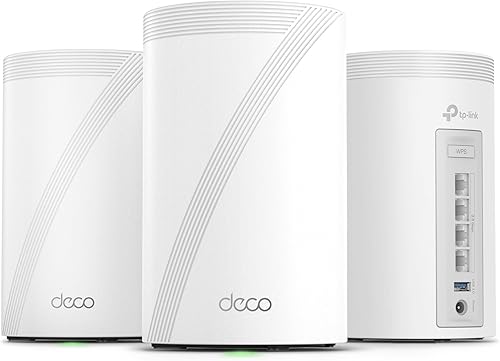
TP-Link Deco 7 Pro Tri-Band WiFi 7: Best for large smart homes
- Tri-band WiFi 7 up to BE10000
- HomeShield with real-time IoT security
- 10G WAN/LAN port
- VPN client and server
A tri-band radio and a 10G port keep a busy network fast while HomeShield watches over more than 200 devices. The most expensive pick here.
Pros
- Handles over 200 devices
- 10G WAN/LAN port
- HomeShield with real-time IoT security
Cons
- Premium price tier
- Bigger units than the Deco x20
The Deco 7 Pro takes third place on score but first on scale. A tri-band radio with up to 10 Gbps combined and a 10G WAN/LAN port handle the busiest households, and the 3-pack covers up to 7,600 sq ft for over 200 devices.
The three bands split as 5,188 Mbps on 6 GHz, 4,324 Mbps on 5 GHz and 574 Mbps on 2.4 GHz, so the 6 GHz band carries the heaviest traffic.
HomeShield on this model adds real-time IoT security, which suits a home full of cameras and smart appliances. The four 2.5G WAN/LAN ports plus a USB 3.0 port give you plenty of places to wire devices that matter.
That USB port is also the easiest way to add storage to the network without another box plugged in.
Simultaneous wired and wireless backhaul with tri-band WiFi 7 balances traffic between units. That's the feature that keeps a 4K stream steady while someone else is on a video call.
Four smart internal antennas sit inside taller units than the x20's, so shelf space is worth checking.
The cost is the price tier. This is the most expensive system in the roundup, and for a 1,500 sq ft home with 20 devices the x20 does the same security job for less.
Choose it when device count and wired speed are the real constraints. A smaller home pays for radio and port headroom it won't use.
TP-Link Deco 7 BE23 Dual-Band BE3600 WiFi: Best for separate smart home networks
- Private IoT Network SSID
- WPA3 encryption
- HomeShield security
- WiFi 7 with MLO
A separate SSID for IoT devices keeps cameras and plugs off the main network. WPA3 and HomeShield round out the security set.
Pros
- Private IoT network built in
- WPA3 encryption
- 2.5G ports on each unit
Cons
- Dual-band only
- No VPN server listed
The Deco 7 BE23 is the pick for smart home security because it ships with a Private IoT Network. That's a separate WiFi SSID for plugs, bulbs and cameras, so those devices talk to each other and the internet without a direct path to your main network.
It uses HomeShield and WPA3 encryption to keep that zone apart from your laptop and phone.
WPA3 encryption runs on the network, and HomeShield adds security scanning and parental controls. WiFi 7 with MLO and 4K-QAM brings speeds up to 3.6 Gbps, split as 2,882 Mbps on 5 GHz and 688 Mbps on 2.4 GHz.
That's plenty for streaming and gaming on newer phones and consoles like the iPhone 16 Pro or PS5 Pro.
The 3-pack covers 6,500 sq ft for over 150 devices. Each unit has two 2.5G WAN/LAN ports, and four high-gain antennas with four high-power FEMs per node push the signal further than a basic dual-band set.
The units are flatter than the x20's towers, which helps on a media shelf.
It doesn't list VPN server support, so if you want the router itself handling encrypted tunnels, the Deco 7 or Deco 7 Pro are the better fit. It's also dual-band, without a 6 GHz radio.
Buy it for the separate IoT network and WPA3. Skip it if router-level VPN support is on your list.
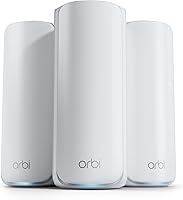
Netgear Orbi 770 (3-pack): Best for security out of the box
- Advanced Router Protection
- Automatic firmware updates
- 30-day NETGEAR Armor trial
- Tri-band WiFi 7
Security features are on when you unbox it, and firmware updates install automatically. Armor adds a paid layer on top.
Pros
- Protection on by default
- Automatic firmware updates
- Widest coverage here
Cons
- Armor needs a paid subscription after the trial
- Fewer devices supported than the Deco 7 Pro
The Orbi 770 earns its place on the strength of its defaults. Advanced Router Protection is on when you unbox it, and firmware updates install automatically, so a household that never opens an admin page still gets a maintained network.
The kit is a router plus two satellites rather than three identical units, which is why the device count caps at 100 instead of scaling with node count.
NETGEAR Armor adds enhanced protection against hackers, malware and identity theft for 30 days, then needs a paid subscription. That's the main trade-off: the best layer of protection costs extra after the trial.
The base protections stay free either way.
Tri-band WiFi 7 reaches up to 11 Gbps with a dedicated band for the link between router and satellites. Coverage runs to 8,000 sq ft, the widest in this group.
A 2.5G port and a 2.5 Gbps-ready design suit cable or fiber plans. The Orbi app guides setup and manages guest access from anywhere.
Adding a satellite later extends coverage by up to 2,750 sq ft, which is the simplest path for a multi-storey home.
Choose it if you want security you never have to think about. The subscription cost and the 100-device cap are the reasons to look elsewhere.
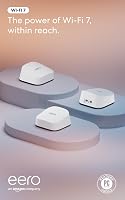
eero 6+ (3-pack): Best for simple security updates
- Automatic security updates
- Built-in Thread and Zigbee hub
- WiFi 6 with 160 MHz support
- Gigabit-capable
Updates arrive on their own and the app stays simple. The built-in smart home hub cuts one more device off your network.
Pros
- Automatic security updates
- Built-in Thread and Zigbee hub
- Simple app management
Cons
- Some security features need a subscription
- Smallest device count of the main picks
The eero 6+ keeps security simple: updates arrive automatically and the app stays out of your way. That routine matters more than a long feature list for a lot of homes, because an unpatched router is the bigger risk.
The company also runs US phone support for troubleshooting, which is rare in this category.
It also contains a smart home hub for Thread and Zigbee devices, so your smart gear connects through the mesh rather than a separate hub. That's one less device on your network with its own firmware to track.
For a home that has slowly collected smart bulbs and sensors, it removes a common weak point.
WiFi 6 covers up to 4,500 sq ft and connects 75+ devices, with 160 MHz channel support for extra bandwidth. It handles internet plans up to a gigabit.
TrueMesh routes traffic between units to reduce drop-offs as you move around.
Online security and additional network management features need a separate subscription. If you want those controls without paying monthly, the Deco x20's free HomeShield tier covers more ground.
Buy it when automatic updates and a small app are the priority. It suits smaller homes and renters more than large smart homes.
Tenda Nova Mesh WiFi System MW6: Best for a locked-down guest network
- WPA2-PSK encryption
- Isolated guest network
- MU-MIMO and beamforming
- AC1200 dual-band
WPA2-PSK plus an isolated guest zone gives visitors internet without access to your smart home. The lowest price tier in this group.
Pros
- Isolated guest network
- Gigabit ports on each unit
- Lowest price tier here
Cons
- WPA2 only, no WPA3
- Older WiFi 5 standard
The Tenda Nova MW6 is the budget route to a secure guest network. WPA2-PSK encrypts the main network, and a guest zone sits isolated from your smart home devices and computers.
That's the right setup for visitors who need internet but shouldn't reach your printer or camera. The isolation matters more than the password strength in a house with a doorbell camera on the same network.
MU-MIMO and beamforming support up to 90 devices on AC1200 dual-band. Coverage reaches 3,500 sq ft across the 3-pack, and each unit has two Gigabit ports.
The units are small cubes, so they fit on a side table without drawing attention. Smooth roaming means a phone switches to the nearest node under one network name and password.
WPA2 is the older encryption standard here. It's still fine for most homes, but WPA3 resists offline password guessing better.
If you have devices that support WPA3, one of the Deco picks gives you the newer standard.
Setup runs through the Tenda app, and adding a node takes three steps. The trade-off against the top picks is the radio generation and the older encryption.
Pick it if a locked-down guest network is the main goal and the budget is tight. For a WPA3 network, move up to the Deco 7 BE23.
Google WiFi: Best for parental controls
- Parental controls in the Google Home app
- Guest network
- AC1200 dual-band
- Simple setup
Parental controls and a guest network live in the Google Home app. Setup is quick and the design blends into a shelf.
Pros
- Parental controls built in
- Guest network
- 30-day return guarantee
Cons
- WiFi 5 only
- No WPA3 or IoT network listed
Google WiFi puts parental controls and a guest network in the Google Home app. You set time limits and content filters per profile, which is more than some budget mesh systems offer.
The app also lets you pause the internet for a device or a person, which is the control most families actually reach for.
The 3-pack covers up to 4,500 sq ft on dual-band AC1200. Setup takes minutes, and the design sits quietly on a shelf.
The bundle arrives as three identical routers rather than a router and satellites, so placement is flexible and each unit can serve as the main one. Each unit has a Gigabit port and the network reaches up to 1,200 Mbps combined.
Its security layer is thinner than the others. There's no WPA3 or IoT network listed, and the app's controls center on parental limits and guest access rather than network scanning.
That's fine for a family that wants content rules, less so for a home full of smart devices.
Google backs it with a 30-day return guarantee, which takes some risk out of trying it in your home.
Choose it for family controls in a familiar app. If you want the most secure mesh wifi system in the encryption sense, a WPA3 system like the Deco 7 BE23 is the stronger pick.
eero Pro 6E (3-pack): Best for 6 GHz privacy
- WiFi 6E with 6 GHz band
- Automatic security updates
- 2.5G Ethernet port
- TrueMesh routing
The 6 GHz band is the quietest radio in the house, which suits buyers who want less interference and a 2.5G wired port.
Pros
- 6 GHz band for less interference
- 2.5G Ethernet port
- Automatic security updates
Cons
- Premium price tier
- Some security features need a subscription
The eero Pro 6E is the 6 GHz option in this group. WiFi 6E opens the 6 GHz band for devices that support it, and that band is less crowded than 2.4 or 5 GHz.
Lower interference means fewer retries and steadier throughput. The system's own latency gains apply even to devices that don't use the 6 GHz band.
A 2.5G Ethernet port supports internet plans up to 2.3 Gbps, with wired speeds up to a gigabit and wireless up to 1.6 Gbps. Coverage reaches 6,000 sq ft for 100+ devices.
TrueMesh routing sends traffic along the best path between units.
Security updates arrive automatically. Some online security and network management features need a separate subscription, so the full layer isn't free.
That's the same model as the eero 6+, just with more radio and port behind it.
Its score lands lower than the Deco x20 because the security controls are similar while the price tier is higher. The 6 GHz radio is the reason to pay more.
Buy it when 6 GHz matters and you already like the eero app. Otherwise the eero 6+ or Deco x20 gives you the same update routine for less.
How these mesh systems compare on security
The comparison table lines up the encryption standard, the security service each system offers and the device count behind it. Use it to see which layer you're actually buying.
A system with a wide coverage number and no separate network is not more secure than a smaller one with WPA3, it just reaches further.
| Product | Best for | WiFi standard | Coverage | Devices | Our score |
|---|---|---|---|---|---|
| TP-Link Deco x20 Dual-Band WiFi 6 Mesh | everyday home security | WiFi 6 (AX1800) | Up to 5,800 sq ft (3-pack) | Up to 150 | 9.6 |
| TP-Link Deco 7 Dual-Band BE5000 WiFi 7 | encrypted VPN traffic | WiFi 7 (BE5000) | Up to 6,600 sq ft | Over 150 | 9.5 |
| TP-Link Deco 7 Pro Tri-Band WiFi 7 | large smart homes | WiFi 7 (BE10000) | Up to 7,600 sq ft | Over 200 | 9.5 |
| TP-Link Deco 7 BE23 Dual-Band BE3600 WiFi | separate smart home networks | WiFi 7 (BE3600) | Up to 6,500 sq ft | Over 150 | 9.1 |
| Netgear Orbi 770 (3-pack) | security out of the box | WiFi 7 (up to 11 Gbps) | Up to 8,000 sq ft | Up to 100 | 8.7 |
| eero 6+ (3-pack) | simple security updates | WiFi 6 | Up to 4,500 sq ft | 75+ | 8.6 |
| Tenda Nova Mesh WiFi System MW6 | a locked-down guest network | WiFi 5 (AC1200) | Up to 3,500 sq ft | Up to 90 | 8.5 |
| Google WiFi | parental controls | WiFi 5 (AC1200) | Up to 4,500 sq ft | Not capped in the data | 8.0 |
| eero Pro 6E (3-pack) | 6 GHz privacy | WiFi 6E | Up to 6,000 sq ft | 100+ | 7.9 |
Our score weighs specs, features and buyer feedback against what you're shopping for. For this roundup that means encryption standard, update routine, network controls and coverage, ranked against what a security-focused buyer wants.
A system with WPA3 and a separate IoT network scores higher than one with the same coverage but older encryption. Scores aren't a test result: we compared the listed specs and features, we didn't run these systems in a lab.
Why a lower score can still be the right buy
The Tenda Nova and Google WiFi score lower than the Deco picks because they run WiFi 5 and skip WPA3. For a small apartment on a budget, neither gap matters much.
The Tenda Nova's isolated guest zone is still a real security feature, and Google WiFi's per-profile controls are more useful than a scan you never open.
How we chose the most secure mesh wifi systems
We started with the encryption standard and worked outward. WPA3 counts more than WPA2 because it resists offline password guessing.
A system that updates its firmware automatically ranks above one that leaves it to you. The Orbi 770's default-on protections earned it a spot despite its device cap, because most homes never touch the settings.
From there we looked at network controls. A guest network and a separate IoT SSID both reduce what a compromised device can reach.
HomeShield's security scan and IoT device identification add another layer on TP-Link systems. The Deco 7 BE23's Private IoT Network is the most direct version of this idea in the group.
Coverage and device count set the ceiling. A system rated for 75 devices will struggle in a home with 120, so we matched each pick to a home size and a device load.
Port speed came last, but it matters on fiber plans: a 2.5G or 10G port keeps the mesh from capping your internet. The eero Pro 6E's 2.5G port only pays off if your plan goes above gigabit.
What to look for in a secure mesh wifi system
Start with WPA3 and automatic firmware updates, then add a separate network for smart home gear. Those three cover most of what makes a mesh system secure in daily use.
Everything else is speed, coverage and port count layered on top.
Which encryption standard should you pick?
Pick WPA3 when your devices support it. It protects against offline password guessing better than WPA2-PSK.
The Deco 7 BE23 lists WPA3. If you have older devices that only speak WPA2, most mesh systems fall back to WPA2 for those devices while keeping WPA3 for the rest.
The Tenda Nova runs WPA2 only, so it's the weaker choice on this one point.
Do you need a separate network for smart home devices?
Yes, when the system offers one. The Deco 7 BE23's Private IoT Network puts cameras and plugs on their own SSID.
A guest network like the Tenda Nova's does the same job for visitors. Either keeps a weak device from becoming a path to your laptop.
The trade-off is app clutter: more networks to name and manage.
How much does firmware updating matter?
It matters more than most features. An unpatched router is the bigger risk in a home network.
The Orbi 770 and eero 6+ update automatically. On the Deco systems, the app manages updates.
If you rarely open the app, an automatic system saves you the chore. If you like tuning settings, the Deco app gives you more to work with.
How many devices can your home really put on one network?
Count phones, laptops, TVs, consoles, cameras, plugs and bulbs, then add a margin. The Orbi 770 handles up to 100 devices and the Deco 7 Pro over 200.
The eero 6+ covers 75+, which suits a smaller home. Going over the rated count is where slowdowns start.
Smart plugs and bulbs add up faster than people expect, so count those too.
Does port speed affect security?
Not directly, but it affects whether security features become a bottleneck. VPN routing and HomeShield scanning add processing load.
A 2.5G or 10G port on a gigabit-plus plan keeps that load from capping your speed. On a slower plan, Gigabit ports are enough.
The Deco x20's six Gigabit ports are the sensible baseline.
Can you wire the mesh units together?
Yes, and it helps. Ethernet backhaul sends traffic between units over cable instead of radio.
The Deco x20 supports wired backhaul and has six Gigabit ports across the 3-pack. The Deco 7 and Deco 7 Pro add 2.5G ports for faster links between units.
Our guide on what is ethernet backhaul explains when it's worth running the cable. For a bigger home with rooms on different floors, it's often the difference between steady and patchy.
Verdict: which secure mesh wifi system should you buy?
The Deco x20 is the most secure mesh wifi system for most homes. HomeShield, guest WiFi and per-profile parental controls cover the daily job, and six Gigabit ports plus wired backhaul keep the network solid.
Pick the Deco 7 if you want router-level VPN support and WiFi 7 speeds, or the Deco 7 BE23 if a separate IoT network matters more. For a large smart home with over 200 devices, the Deco 7 Pro is the pick.
The Orbi 770 suits anyone who wants security on by default and never wants to think about firmware again. If you're still mapping out coverage before you choose, our guide on what wifi mesh system do i need walks through home size and layout first.
Our top 3 picks at a glance
-
1
Best for everyday home security
TP-Link Deco x20 Dual-Band WiFi 6 Mesh
9.6/10 our score
See it on Amazon -
2
Best for encrypted VPN traffic
TP-Link Deco 7 Dual-Band BE5000 WiFi 7
9.5/10 our score
See it on Amazon -
3
Frequently asked questions
Is WPA3 better than WPA2 for a mesh system?
WPA3 is the newer standard and protects against more offline password guessing than WPA2. It also encrypts open networks better.
If your devices support WPA3, pick a mesh system that offers it, like the Deco 7 BE23.
How often should mesh wifi firmware be updated?
Install updates as soon as the app offers them. The Orbi 770 and eero 6+ handle this automatically.
On TP-Link Deco systems, the Deco app manages updates.
Monthly checks are a reasonable baseline if your system doesn't update on its own.
Can a secure mesh system slow down my internet?
Security features like HomeShield scanning and VPN routing add some processing load. On a gigabit plan, a system with 2.5G or 10G ports handles that without becoming the bottleneck.
Check your internet plan speed against the ports on each unit.
Should I replace my router with a secure mesh system?
Yes, if your current router is more than a few years old or doesn't support WPA3. A mesh system adds current encryption and easier management in one step.
Read our guide on whether mesh wifi replaces your router before you buy.